Edit Your Profile
Click your profile Icon to edit your profile.
 Your profile will open.
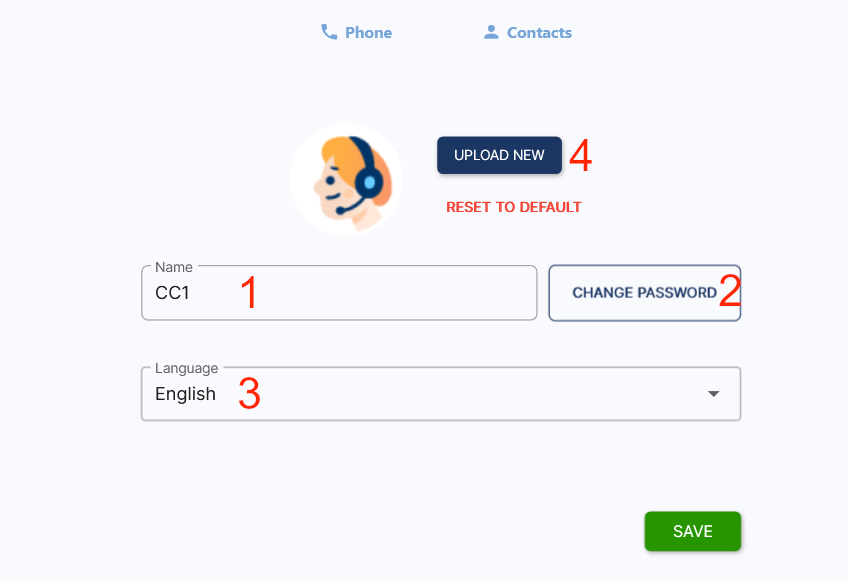
- Enter or change your name.
- Change your password.
- Select language of the Cloud Phone.
- Change your profile picture. Save your changes.
Click your profile Icon to edit your profile.
Your profile will open.