Outgoing Calls
To initiate a new call, either type in a phone number or select a contact from your list.
 After typing a number or selecting a contact, start the call by clicking the green button.
 Your call will then begin.
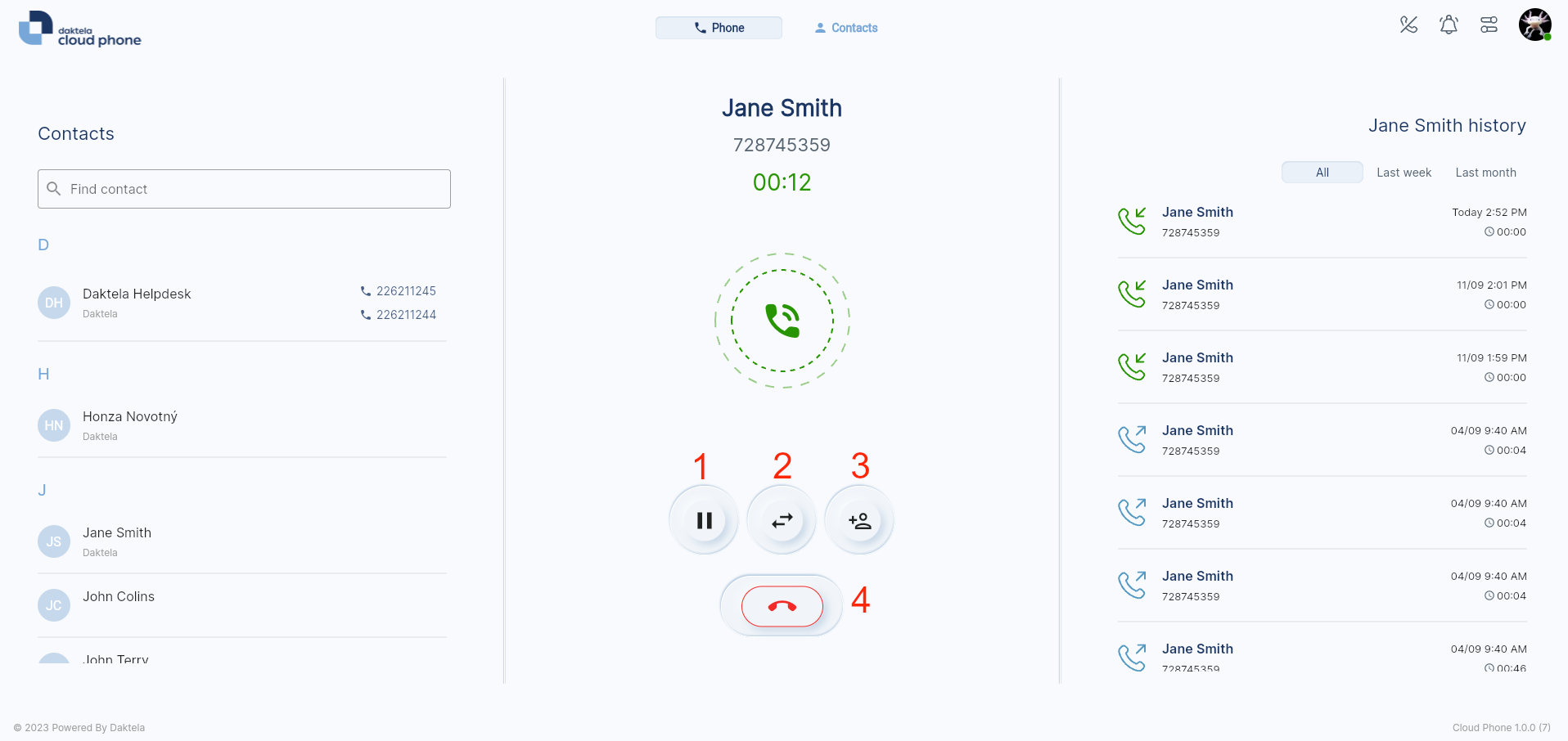
- Hold a call.
- Transfer a call.
- Invite another agent to a call.
- End your call.