Contacts
Click Contacts tab to open your contact in cloud phone.
 Your contacts tab will open.
 To initiate a call from your contacts, click on the contact's phone number. The Phone tabwill open.
Create a New Contact/Edit an Existing Contact
To create a new contact from scratch, click + NEW CONTACTin the top right corner. To edit an existing contact, click their title.

Example of a contact form:
Warning
Fields such as Phone, Email, Address etc are in a custom form just below the top part. If you are unsure how to fill it out, your team leader or administrator will take you through this form.
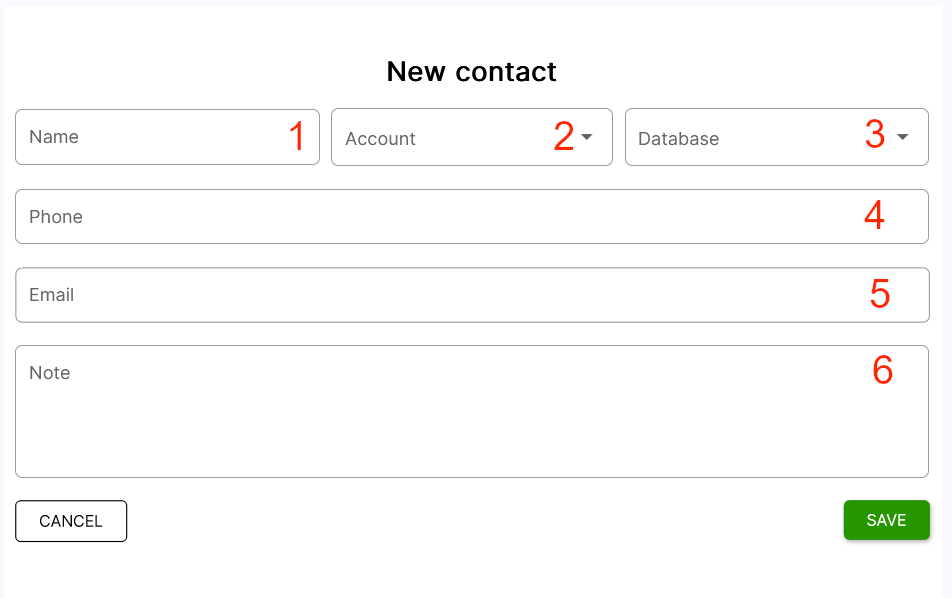
- Enter a contact name.
- Select an count.
- Select a database in which you want to save your contact..
- Enter a phone number.
- Enter a contact's email.
- Enter a note for the contact.