Widget
Note
This section applies to chat instances. Voice and mail instances don't have a Widget menu item.
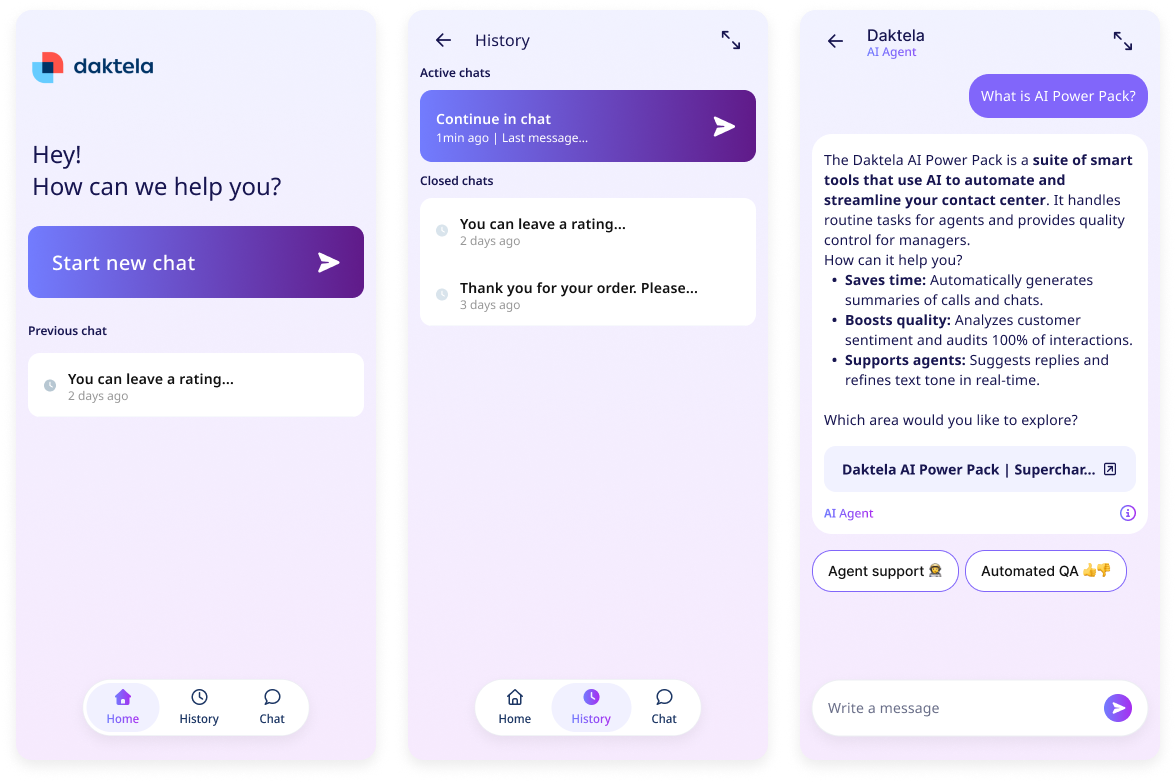
Your chat widget is a complete self-service hub for your customers, not just a chat bubble. It has three modes:
- Chat — the conversation itself.
- History (optional) — a dedicated page listing a visitor's past conversations, tied to their browser.
- Home (optional) — a fully customizable landing screen you build from widgets, letting you create your own self-service experience. Only a handful of widgets are available today, with more on the way — use Request a feature in the administration to tell us what you'd like to see next.
What's Next?
- Deploying the widget for the first time, or migrating from the old chat window? Start with Deploy Your Widget.
- Need to control the widget from your own page's scripts — open/close it, pass visitor identity, set context, register tools? See Widget API.