Mobile App Notifications Not Working
Notifications for incoming calls or chats are not displayed in the mobile app
Solution
- Check that you have allowed the Daktela mobile app to receive notifications on your device.
- Check that you don't have a focus mode or standby mode enabled that blocks notifications. If you want to use such a mode, don't forget to add the Daktela app to exceptions so it can continue to receive notifications.
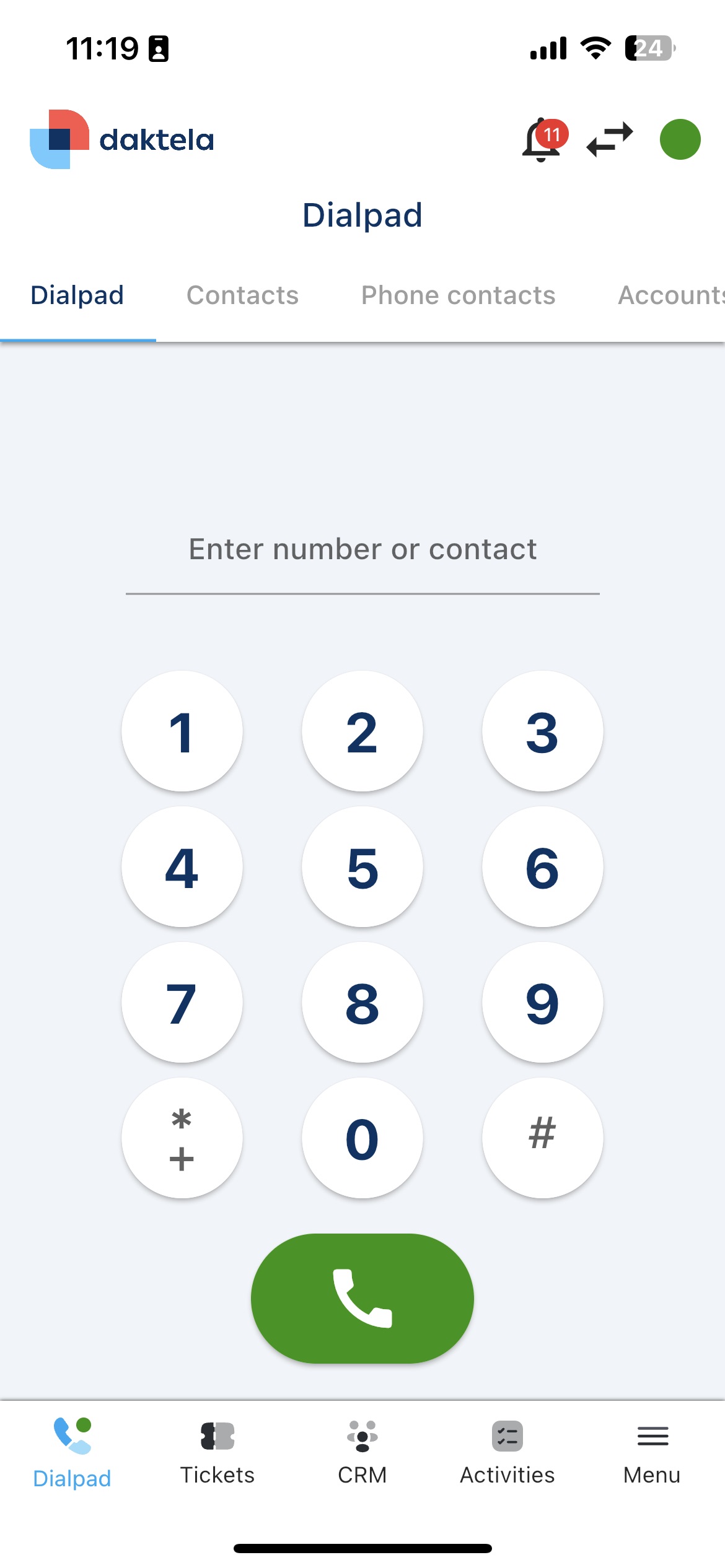
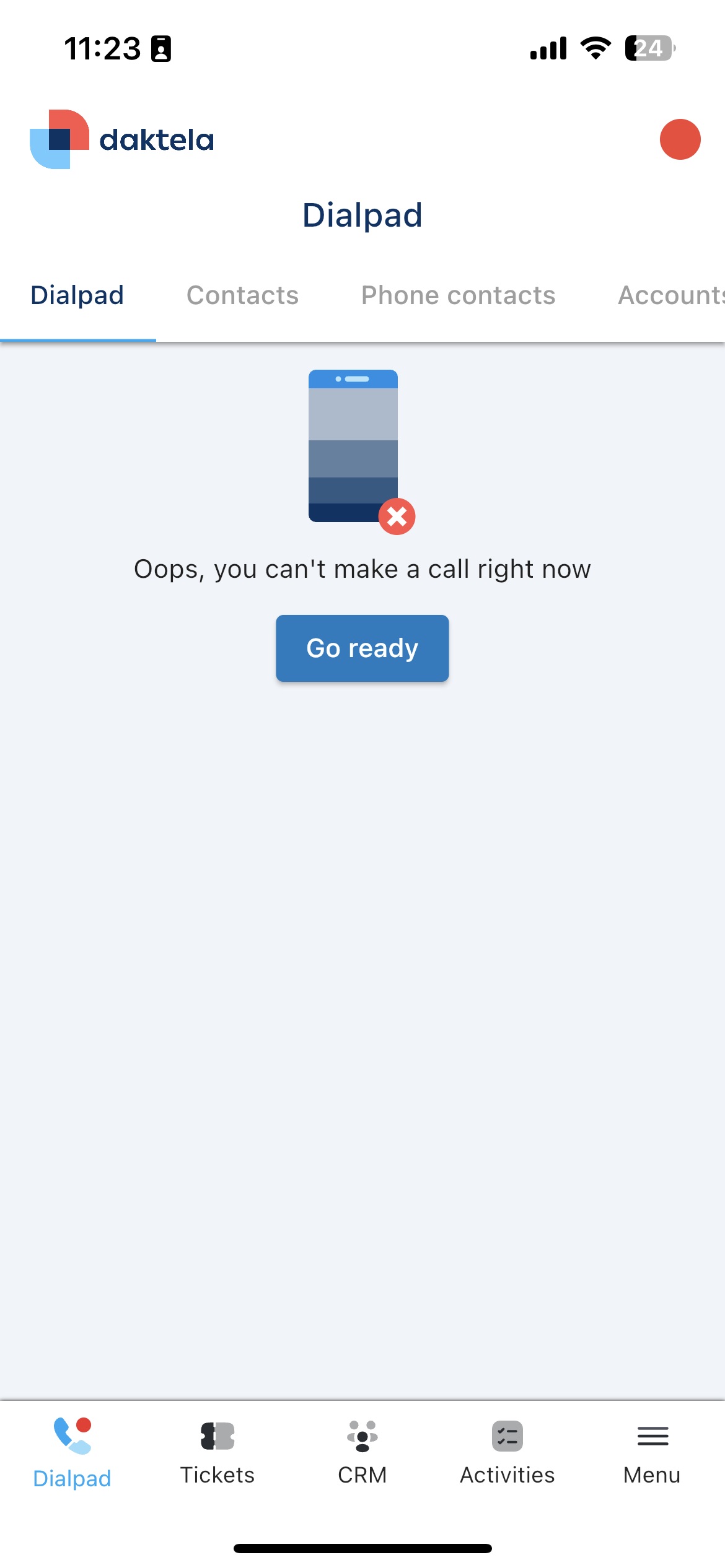
- Check that you are logged in to the mobile app, you are in "ready" state, you are logged into an inbound queue, and (for calls) you have a mobile WebRTC device linked to the app. You can easily tell that the app is ready to handle calls when the numeric keypad is displayed on the phone screen (and no warning is shown). Correct state - app is "online":
 Error state - app is "offline":
Info
If the app behaves unexpectedly or incorrectly, please make sure you are using the latest version and try reinstalling the app if necessary.
Didn't find a solution to your problem? Our technical support colleagues will be happy to help. Before you call or write to us, please prepare information that will help us resolve your issue as quickly as possible.