Baselinker
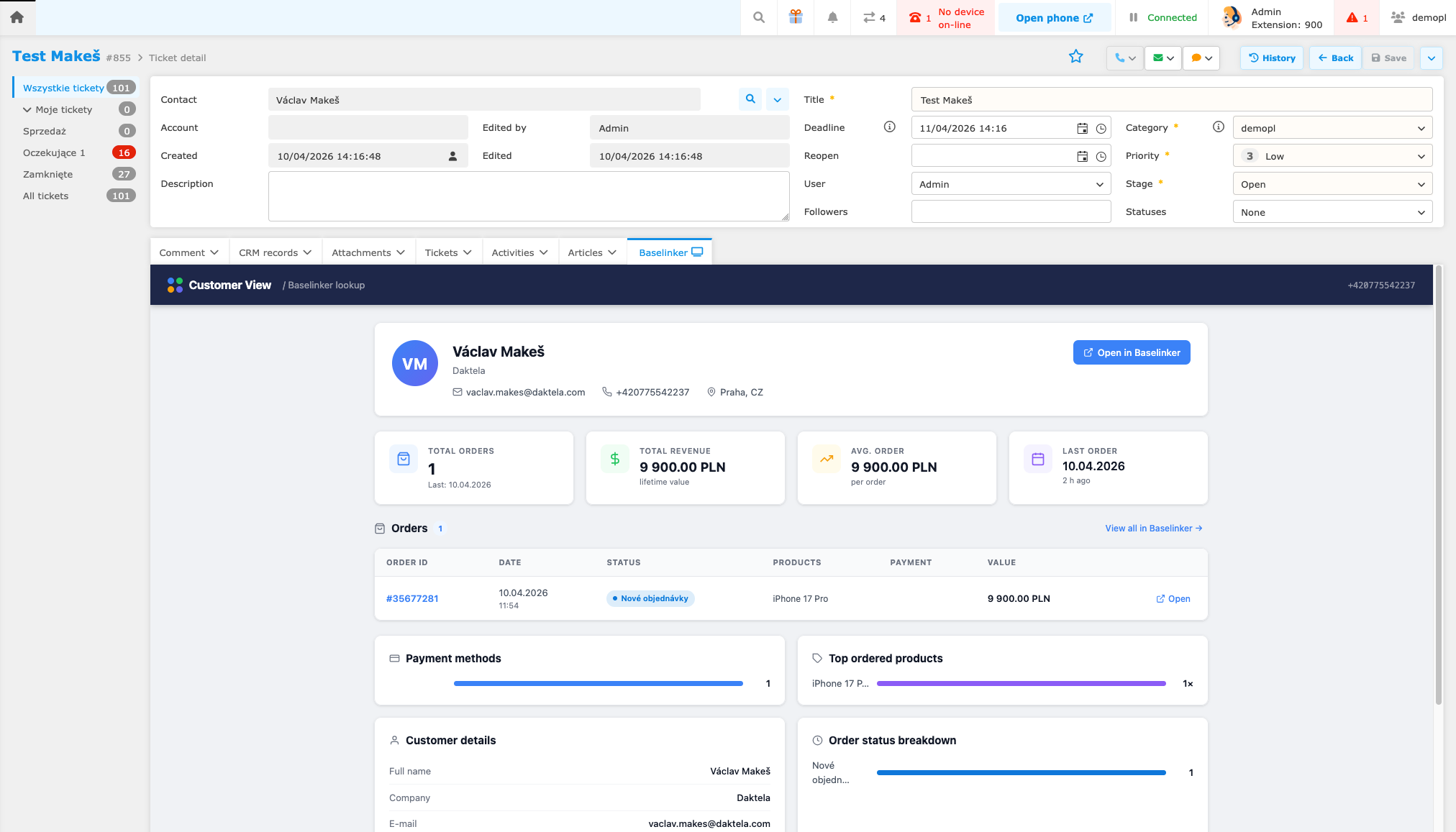
Baselinker is an e-commerce order management platform that consolidates orders, products, and customers from multiple sales channels in one place. The Daktela integration connects your Baselinker account with Daktela to give your agents instant access to customer and order information while handling contacts.
The integration provides the following capabilities:
- Contact synchronisation — contacts from Baselinker are automatically synchronised into a Daktela CRM database.
- Customer widget — a widget is displayed inside Daktela (e.g. in a ticket or activity) showing the customer's details and order history from Baselinker.
Setup
The Baselinker integration requires configuration on the Daktela server side. Setup must be performed by Daktela — please contact your Daktela representative to request the integration.
To get started, you will need to provide Daktela with a read-only API token from your Baselinker account. Follow the steps below to generate one.
Generate a Baselinker API Token
- In Baselinker, open the account menu (top-right corner) and go to My account → API.
- Click Add API Token.
- Enter a name for the token, e.g.
daktela.com integration. - Set Scope API to Read.
- Click Save and copy the token — it is only displayed once.
- Send the token to your Daktela representative.
Warning
The token is only visible immediately after it is generated. Make sure to copy it before closing the dialog.
For Daktela employees
The full setup guide (deployment, Kubernetes secrets, widget configuration, field mapping) is available in the internal wiki: Howto Baselinker.