Hubspot CTI Panel
The Daktela widget within Hubspot allows users to make outbound calls by tapping on a phone number or accept incoming calls directly through the widget.
Prerequisites
These apply to both outgoing and incoming calls, on any Hubspot plan — including the free one.
Add a Daktela connector in Daktela Hub
Connect your Daktela instance to Daktela Hub — the Hubspot integration is attached to it.
- Visit http://hub.daktela.com.
- Sign in with a Gmail account you provided. (as per article Daktela Hub)
-
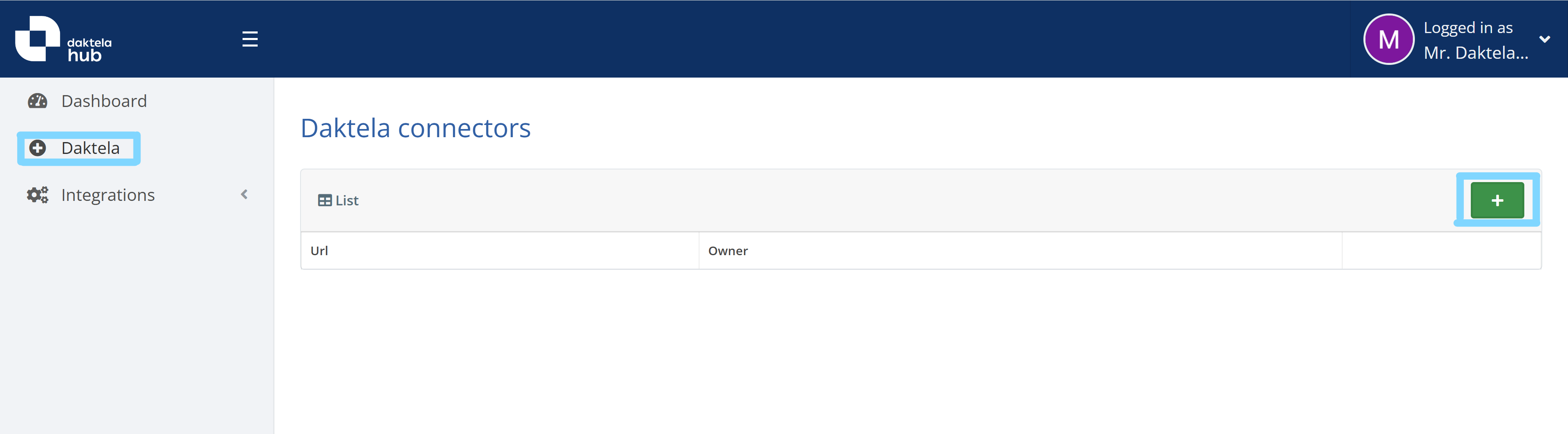
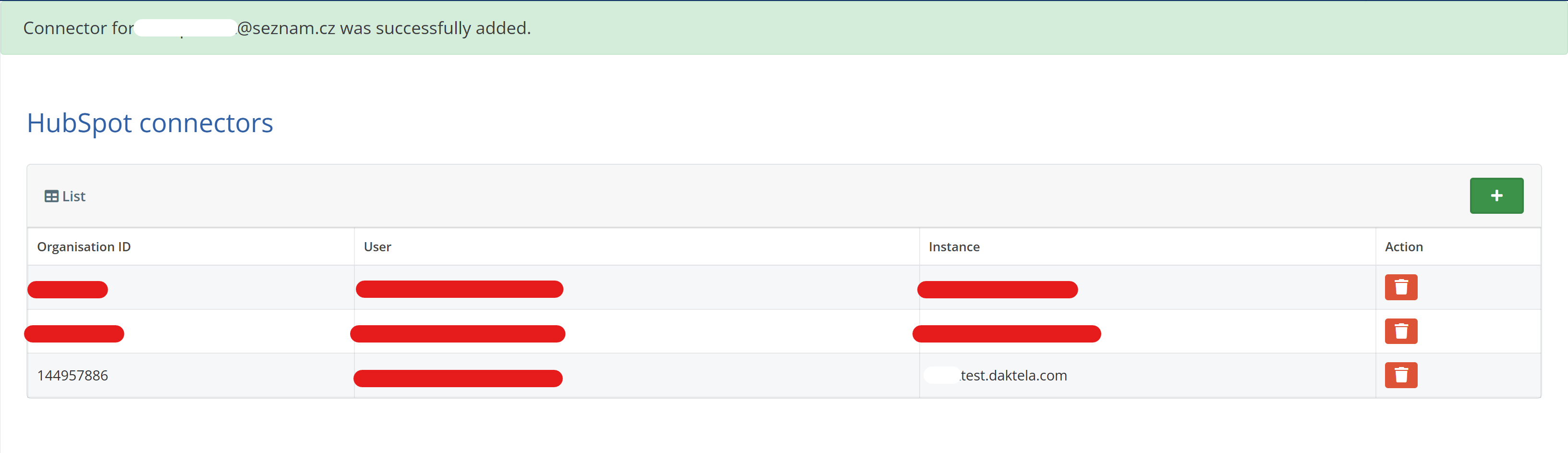
Open Daktela and click + to add a new connector, or skip this section if one already exists.
-
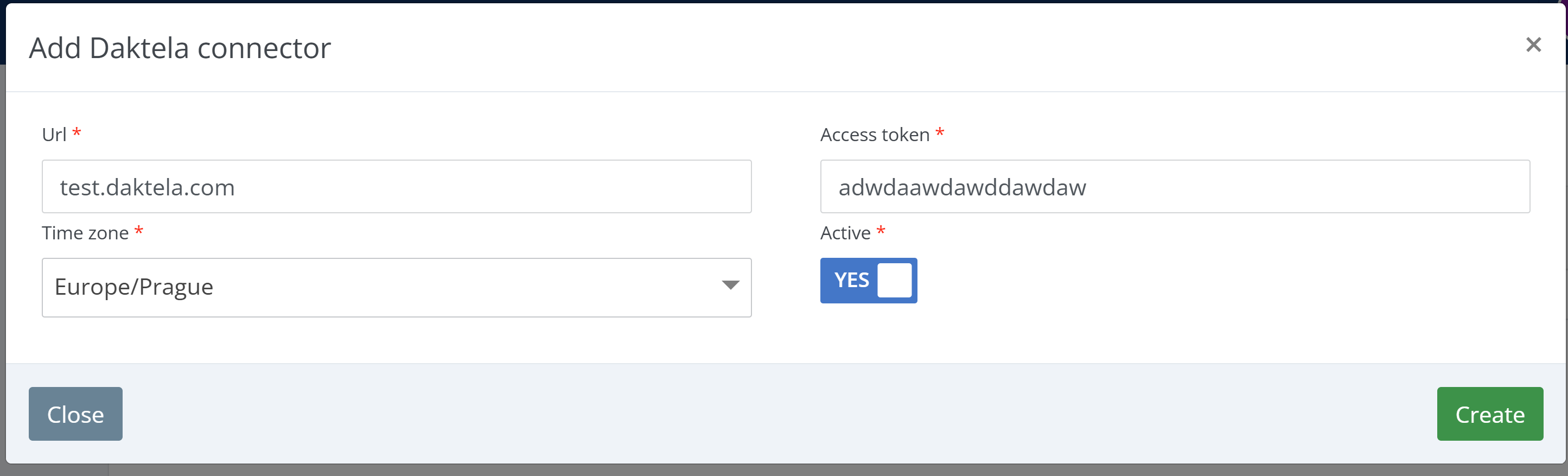
Fill in the instance Url, Access token and Time zone, set Active to YES and click Create.
Allow Hubspot integration on Daktela Hub
Enable integration for specific instance on Daktela Hub.
Info
Daktela CTI is not currently listed on the Hubspot Marketplace — you install it from Daktela Hub using the steps below. During authorisation, Hubspot marks it as an app it has not reviewed.
-
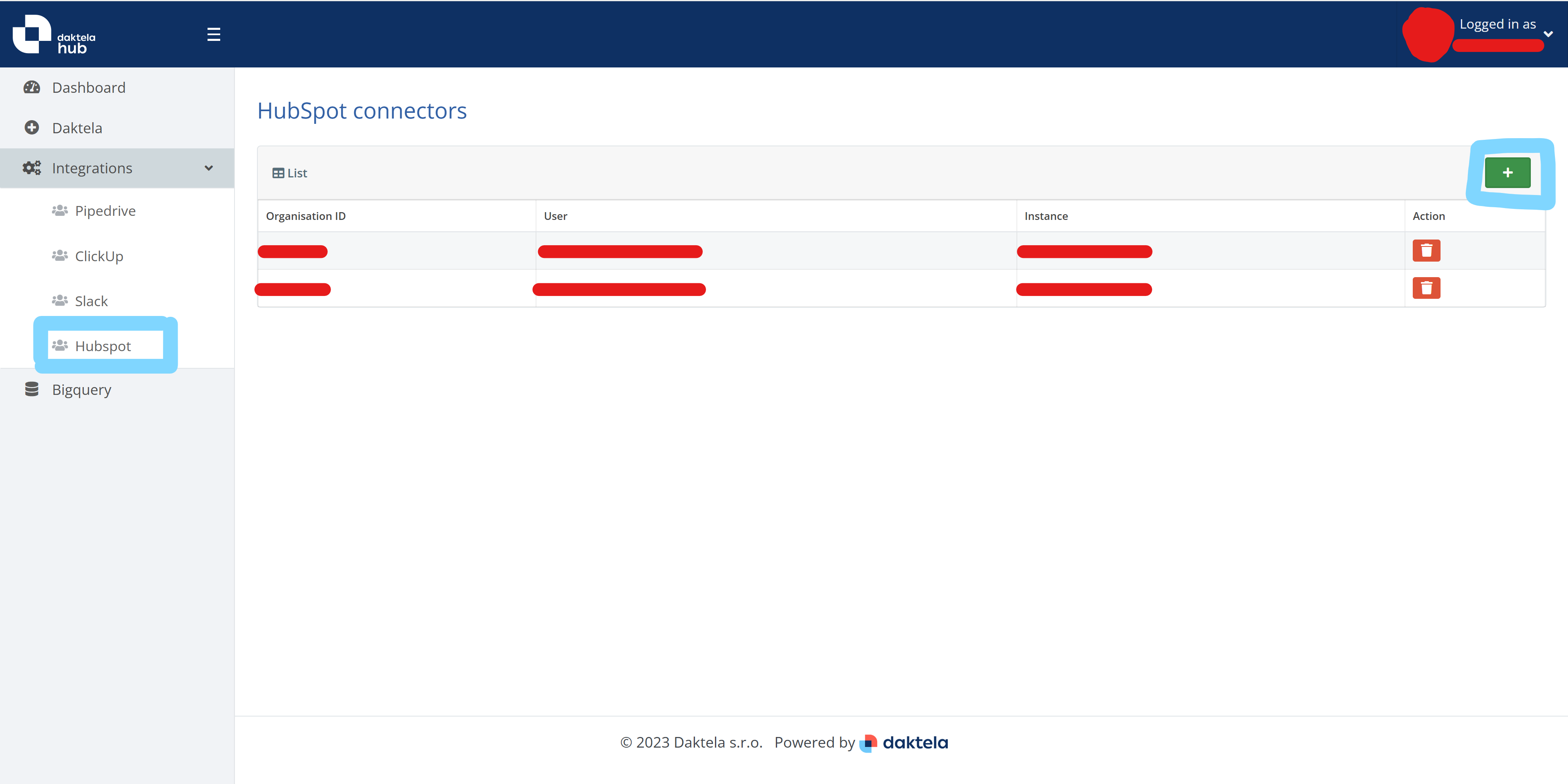
Add a new entry under Integrations -> Hubspot -> +.
-
Choose a Hubspot account and authorise.


-
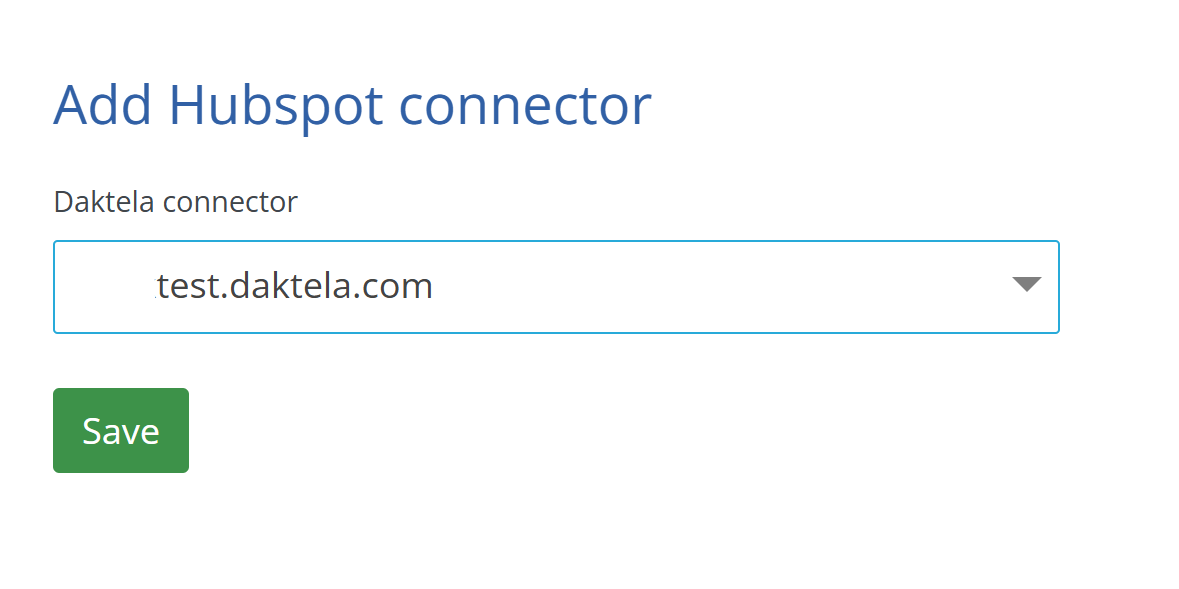
Select the Daktela connector and press Save.
-
You should be able to see your new connection on the Integrations -> Hubspot tab.
Have a device registered
WebRTC/SIP device registered to Daktela instance, which is able to make/accept a call. More info at documentation.
Switch the calling provider to Daktela CTI
Hubspot uses its own calling provider by default. Switch it to Daktela CTI so that calls are handled by Daktela:
- Click the phone icon in the Hubspot top navigation bar to open the calling panel.
- Click the provider name at the top of the panel — it shows HubSpot by default.
- Select Daktela CTI from the list.

How to use the phone
Open and use the phone
-
Open the calling panel by clicking the phone icon in the top navigation bar. Daktela CTI opens inside Hubspot, docked to the right-hand side of the window — no separate browser window is opened.

-
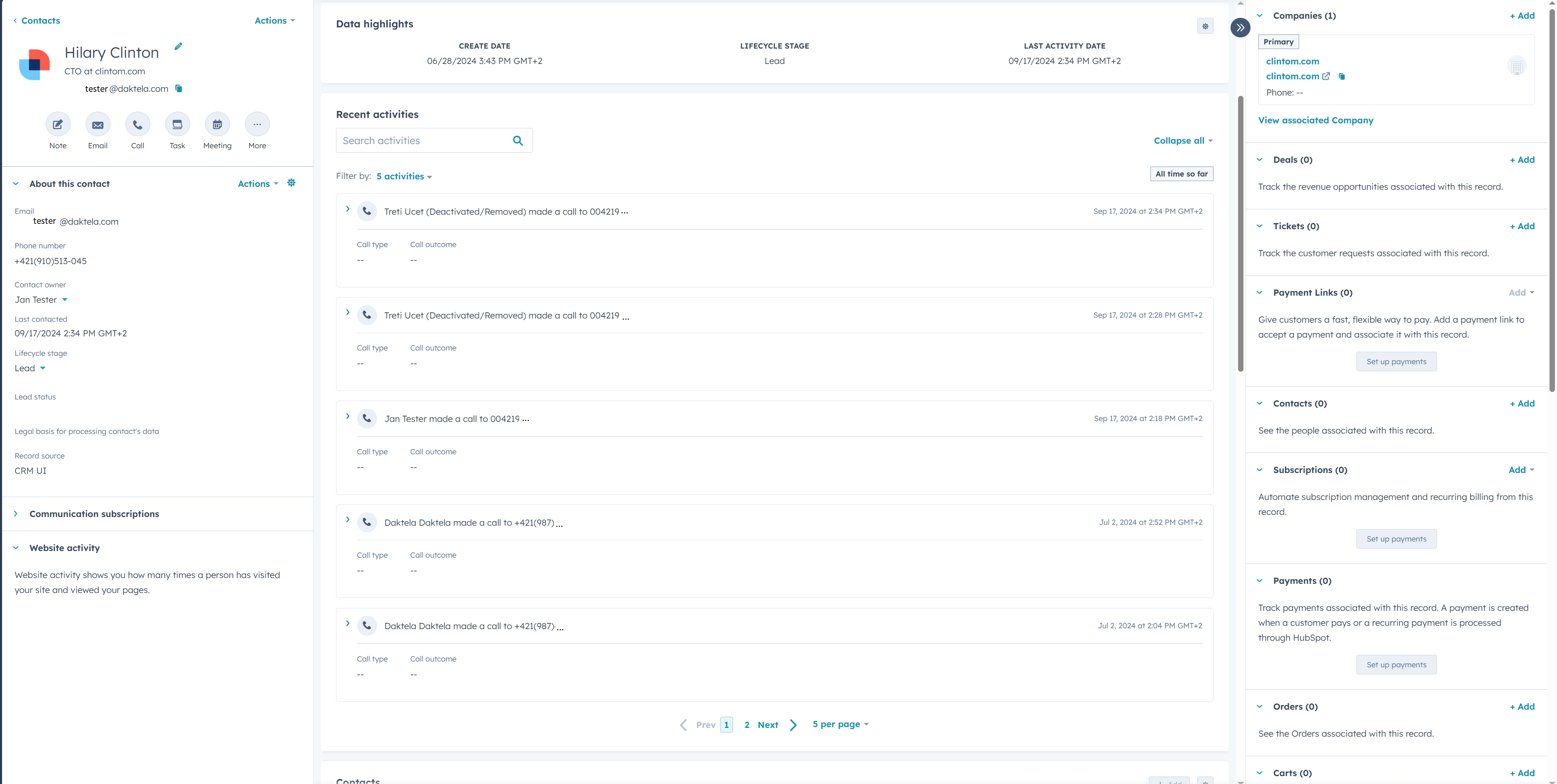
Once call logging is set up, Hubspot shows the calls under the contact.
Note
The Daktela CTI panel does not log calls in Hubspot. Call logging into Hubspot is set up per customer using Daktela Events.
Uninstall Daktela CTI
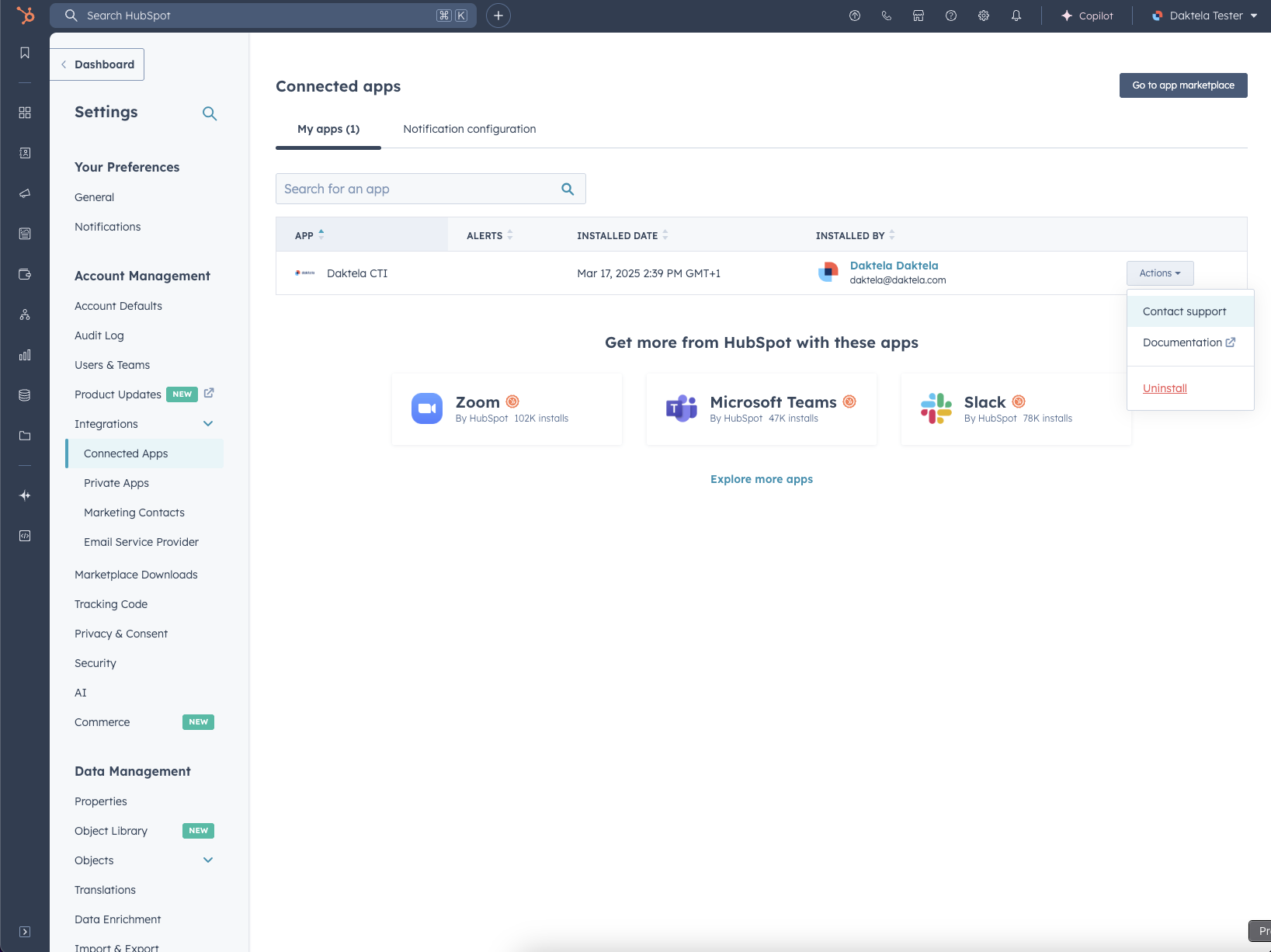
To remove Daktela CTI integration from your Hubspot, go to: Settings -> Integrations -> Connected apps, select Actions and then click on Uninstall.
Known bugs
- There is no special notification on an incoming call, except the little notification in the status bar
- A state (ready/unready/calling) is not visible for a user from the status bar (green/red/arrows icon)