Aristotelos
Using the workforce management platform AristoTelos, you can:
- Connect the shift plan with actual agent states in Daktela
- Load data in real time
- Compare any discrepancies between the plan and the work actually done, e.g. when agents work a shorter time than planned
-
Easily install and configure the integration directly in Daktela
- Set up the Daktela Integration
- Enter Your AristoTelos Details Into Daktela
- Further AristoTelos Settings
Create a New Client App
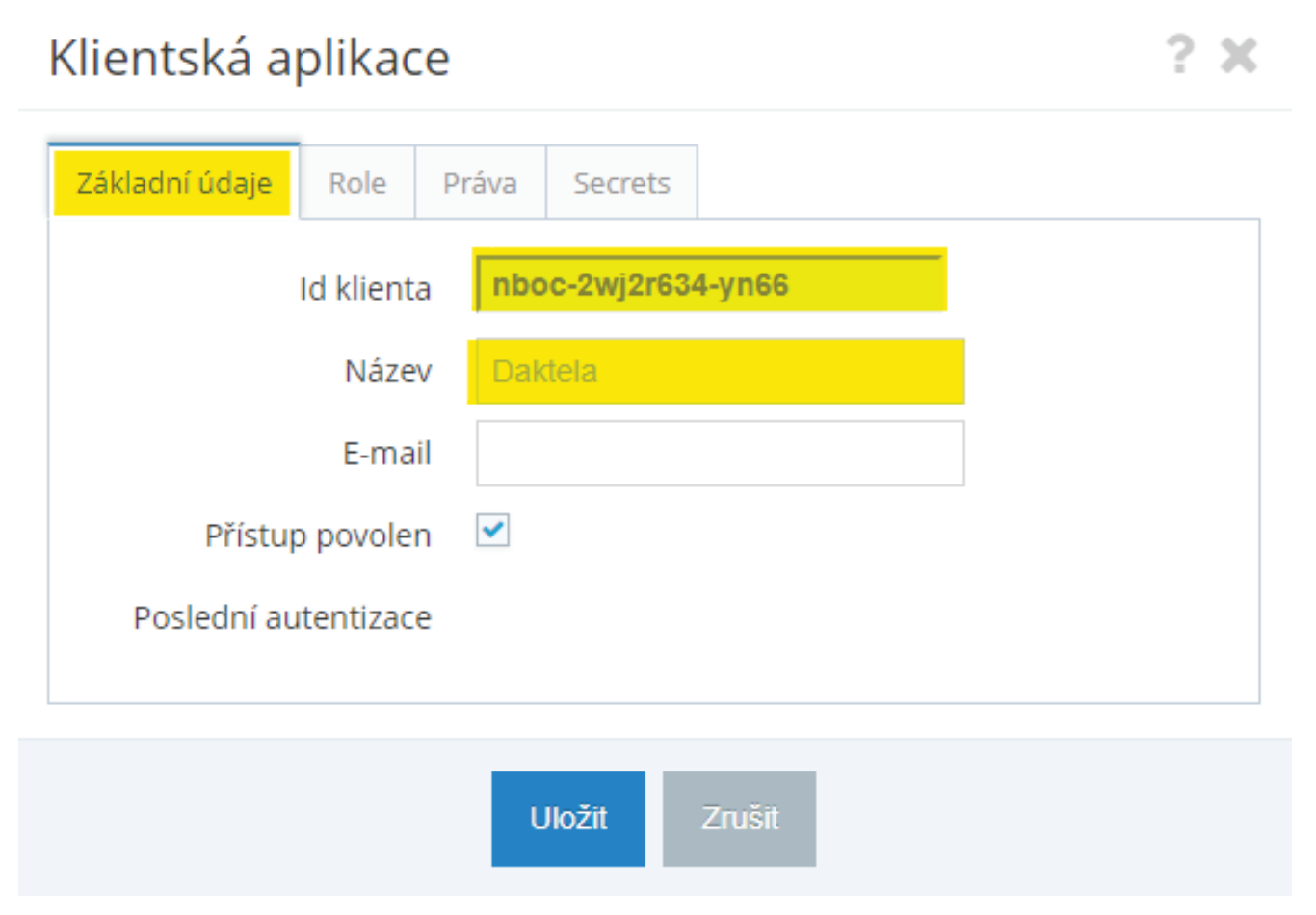
Go to Nastavení → Klientské aplikace, then click Nová položka in the table header. In the form on the Základní údajetab, fill out the name of the app in Název klientské aplikace and check the Přístup povolencheckbox to allow Daktela access to AristoTelos. Copy Id klientaand paste it into theApplication IDfield in the Daktela integration configuration (see below).
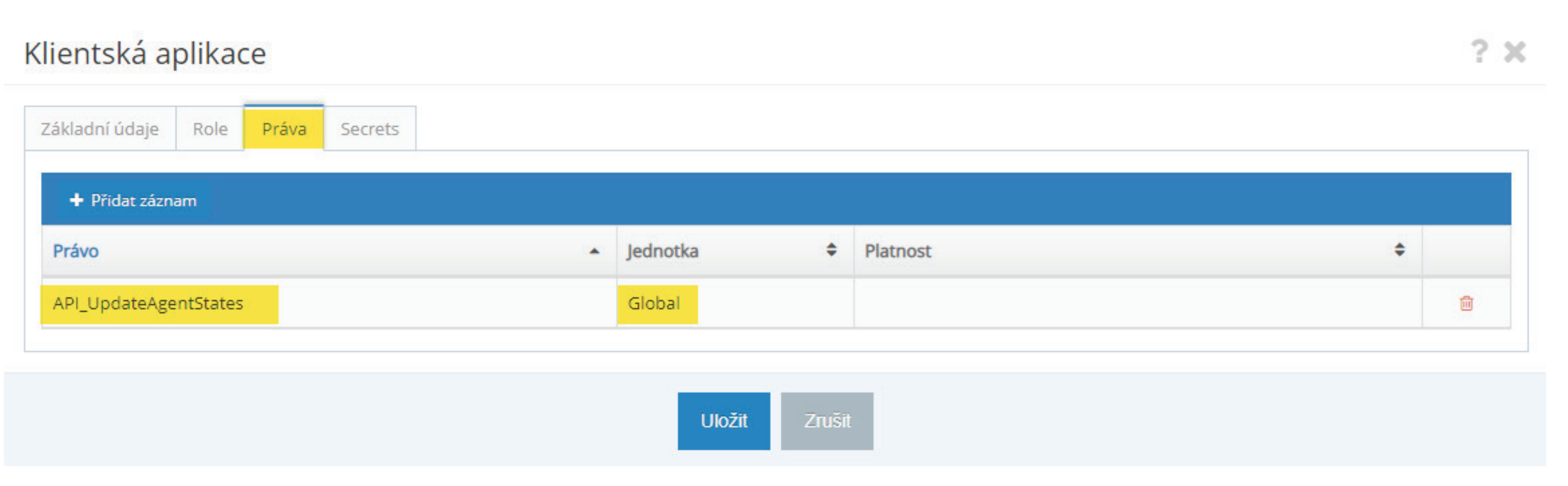
 In the Práva tab, add the API_UpdateAgentStatesright for the Global unit. Leave the Platnost (validity) blank.
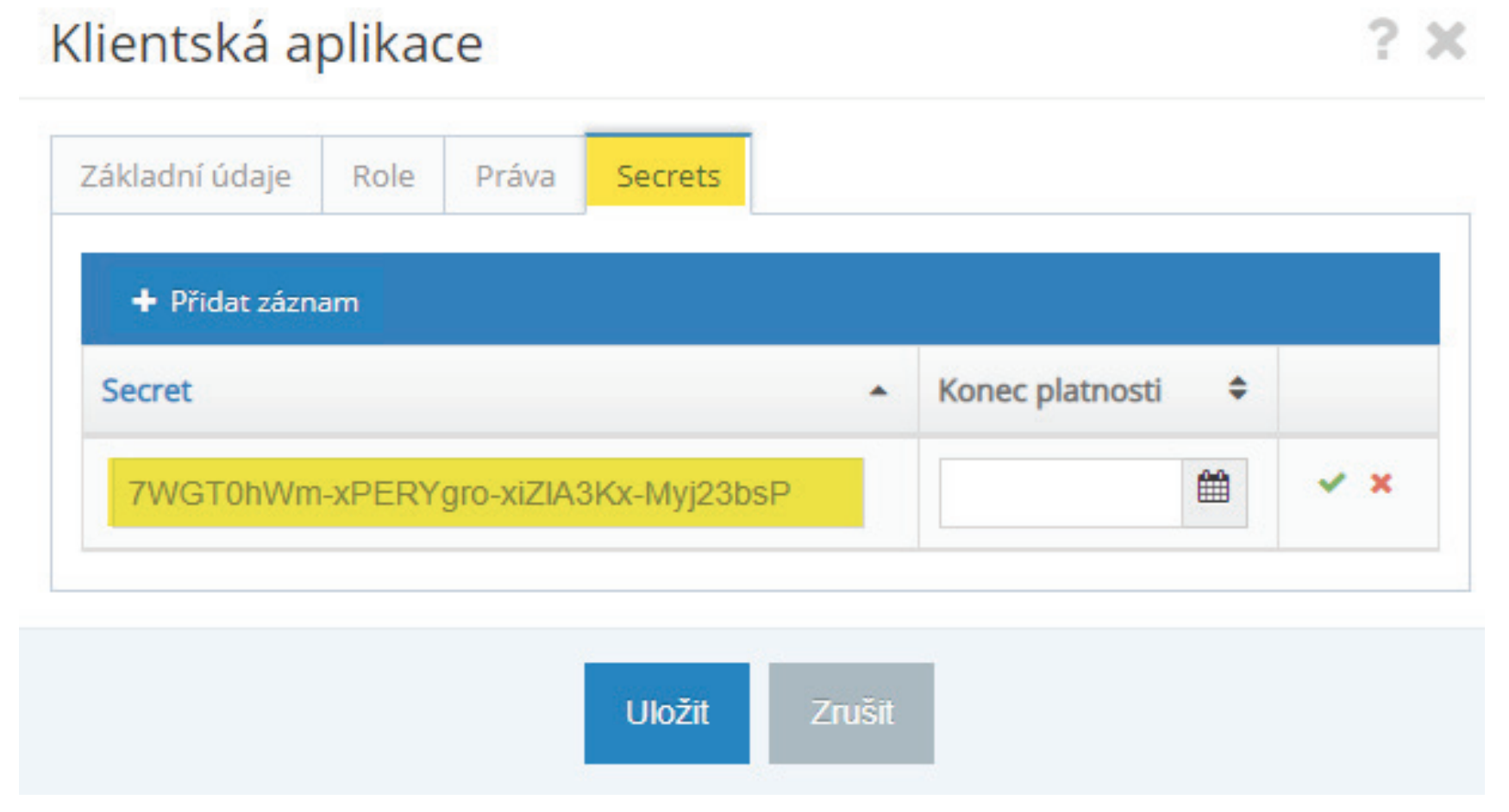
 In the Secrets tab, create a new authorisation code. Copy it straight away, it will not be available later. Paste it into the Client secretfield in the Daktela integration configuration (see below).
Set up the Daktela Integration
Enter Your AristoTelos Details Into Daktela
In Daktela, go to Manage → Integrations and click Configure under Aristototelos. Enter your a name into the Titlefield. Enter your Aristotelos into the Instance URLfield. Paste the ID klienta from the previous step into theApplication IDfield. Paste the Secret from the previous step into the Client secretfield. Click Activate.
Further AristoTelos Settings
- In AristoTelos, set up the Daktela user name for all employees that will use Daktela. Go to their employee card and enter it into the "Id v Externím systému 2" field
- Create employee external states in Administrace → Externí stavy zaměstnanců:
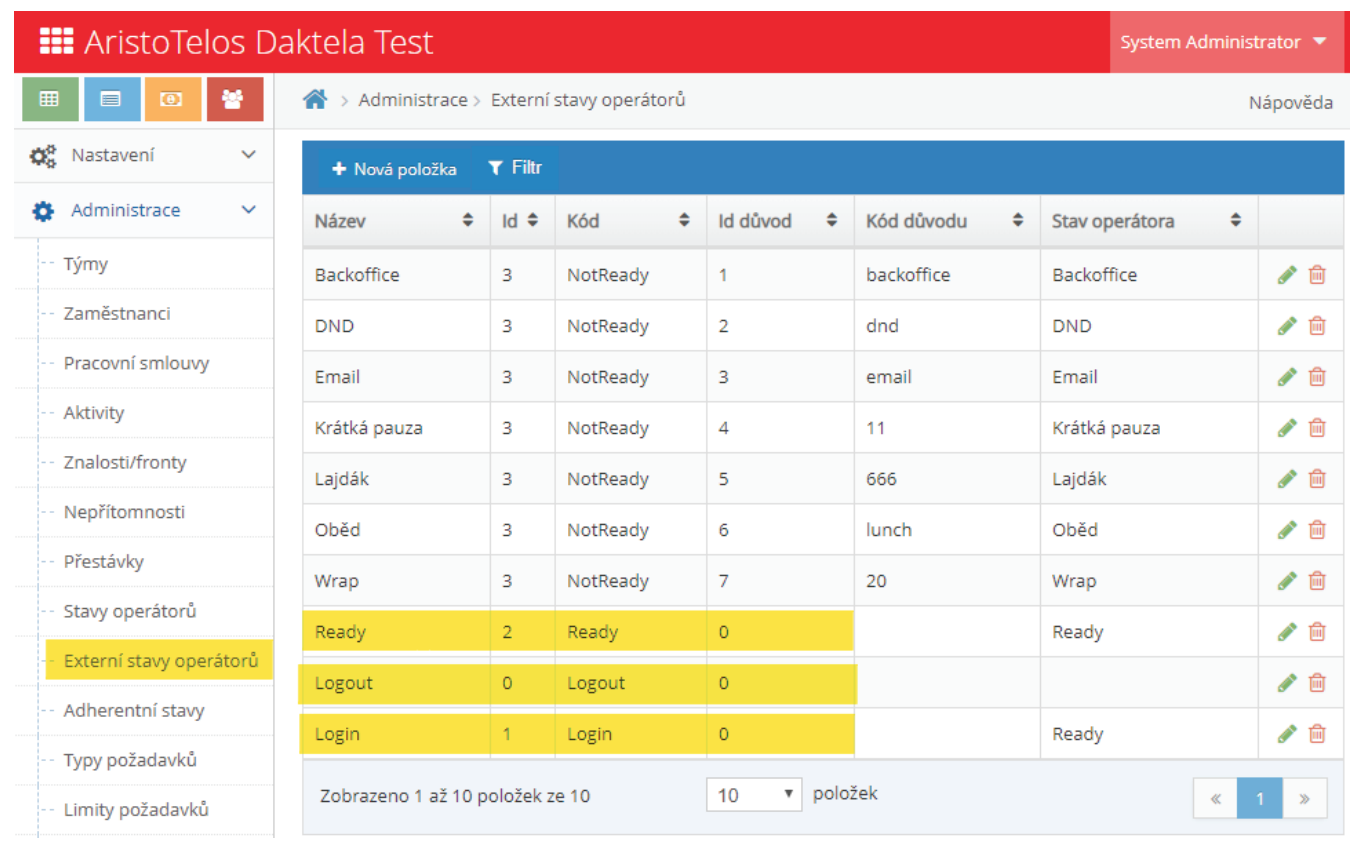 Login, Logout and Ready are mandatory. Other Not Ready states need to be set up so the reason code exactly matches the Not Ready state in Daktela. The Stav operátora will be empty for now.
3. Create the employee states that you want to work with in AristoTelos. Go to Administrace → Stavy zaměstnanců:
Login, Logout and Ready are mandatory. Other Not Ready states need to be set up so the reason code exactly matches the Not Ready state in Daktela. The Stav operátora will be empty for now.
3. Create the employee states that you want to work with in AristoTelos. Go to Administrace → Stavy zaměstnanců:
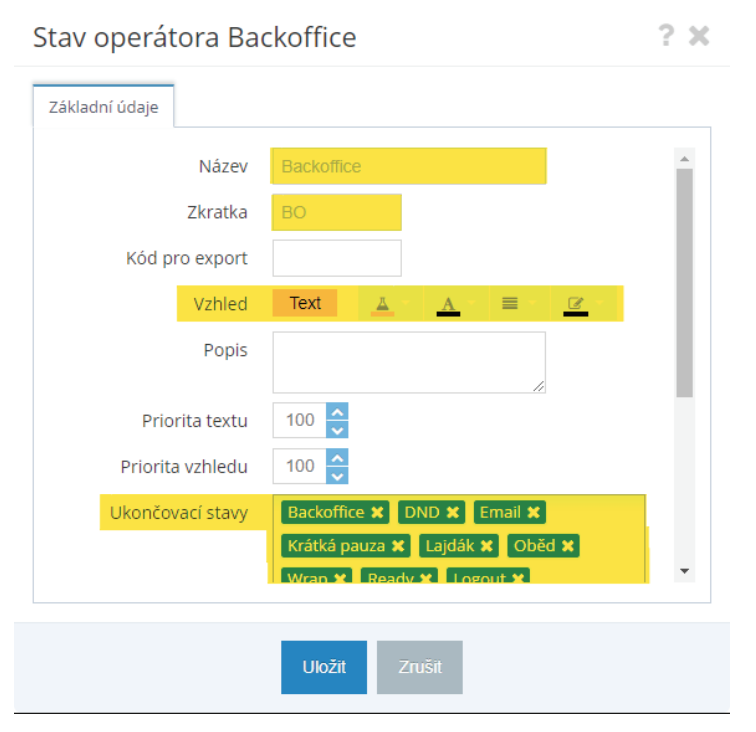 Fill out the highlighted fields. The "Ukončovací stavy" field contains the External Daktela states that will end the current state in AristoTelos.
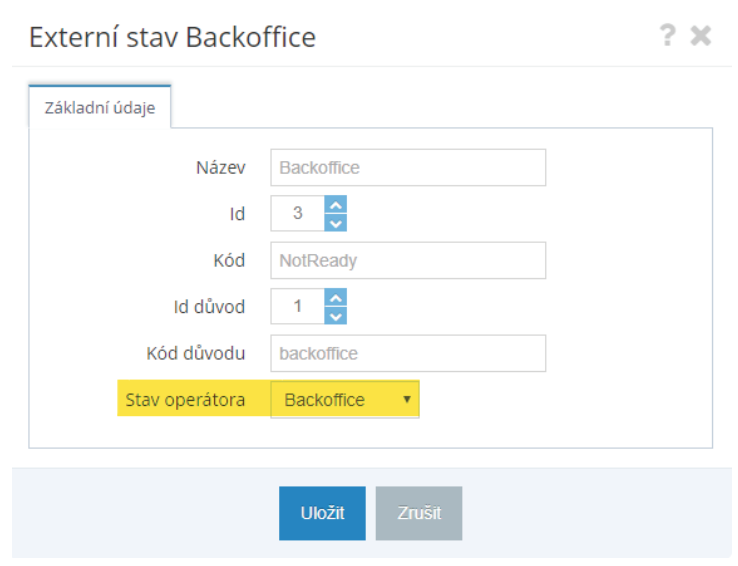
4. Go back to Administrace → Externí stavy zaměstnancůand add Stav operátor(ie. the AristoTelos state) that you want to map to the external (Daktela) state.
Fill out the highlighted fields. The "Ukončovací stavy" field contains the External Daktela states that will end the current state in AristoTelos.
4. Go back to Administrace → Externí stavy zaměstnancůand add Stav operátor(ie. the AristoTelos state) that you want to map to the external (Daktela) state.
 5. View the agent states using theStavy zaměstnanců toggle switch in the Zobrazit tab and setting the time period to a day.
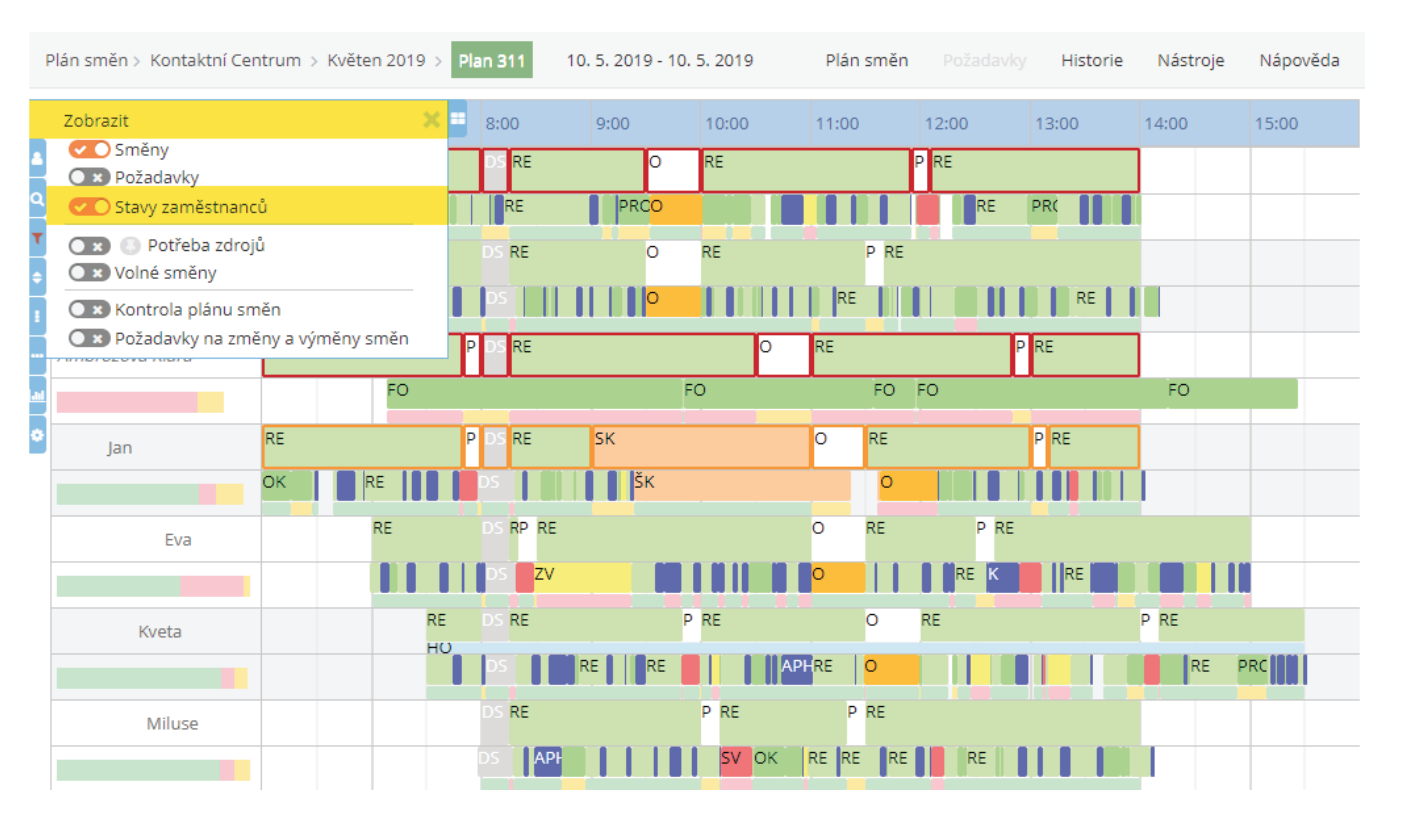 There are two lines for each employee. The first contains the planned activities and the second the actual activities done by the agent.