Billingo
- Get Your API Key
- Set up the Daktela Integration
- Enter Your Billingo Details Into Daktela
- Map Your CRM Fields
Get Your API Key
Go to Billingo login page https://app.billingo.hu/auth/login and log in to your account.
- ClickBeállításokto open the settings.
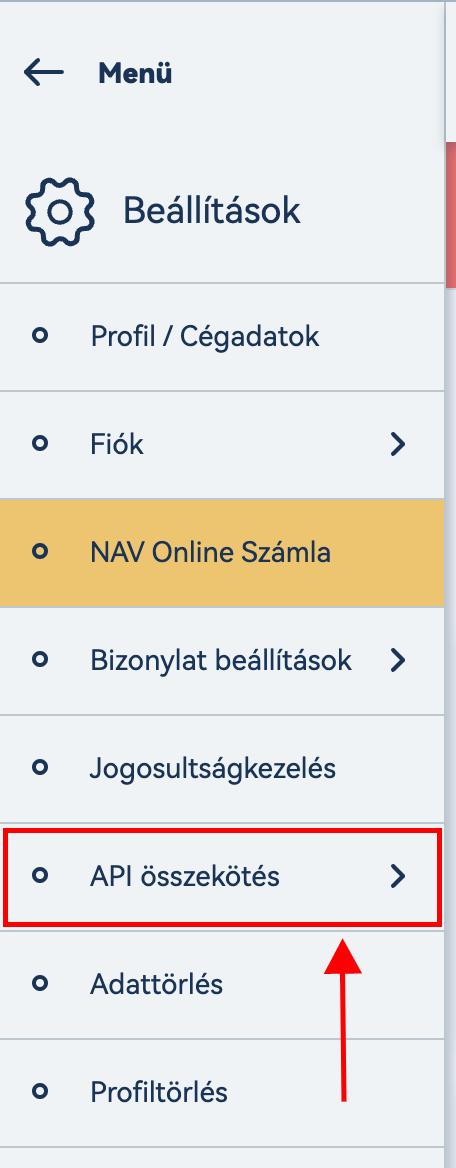
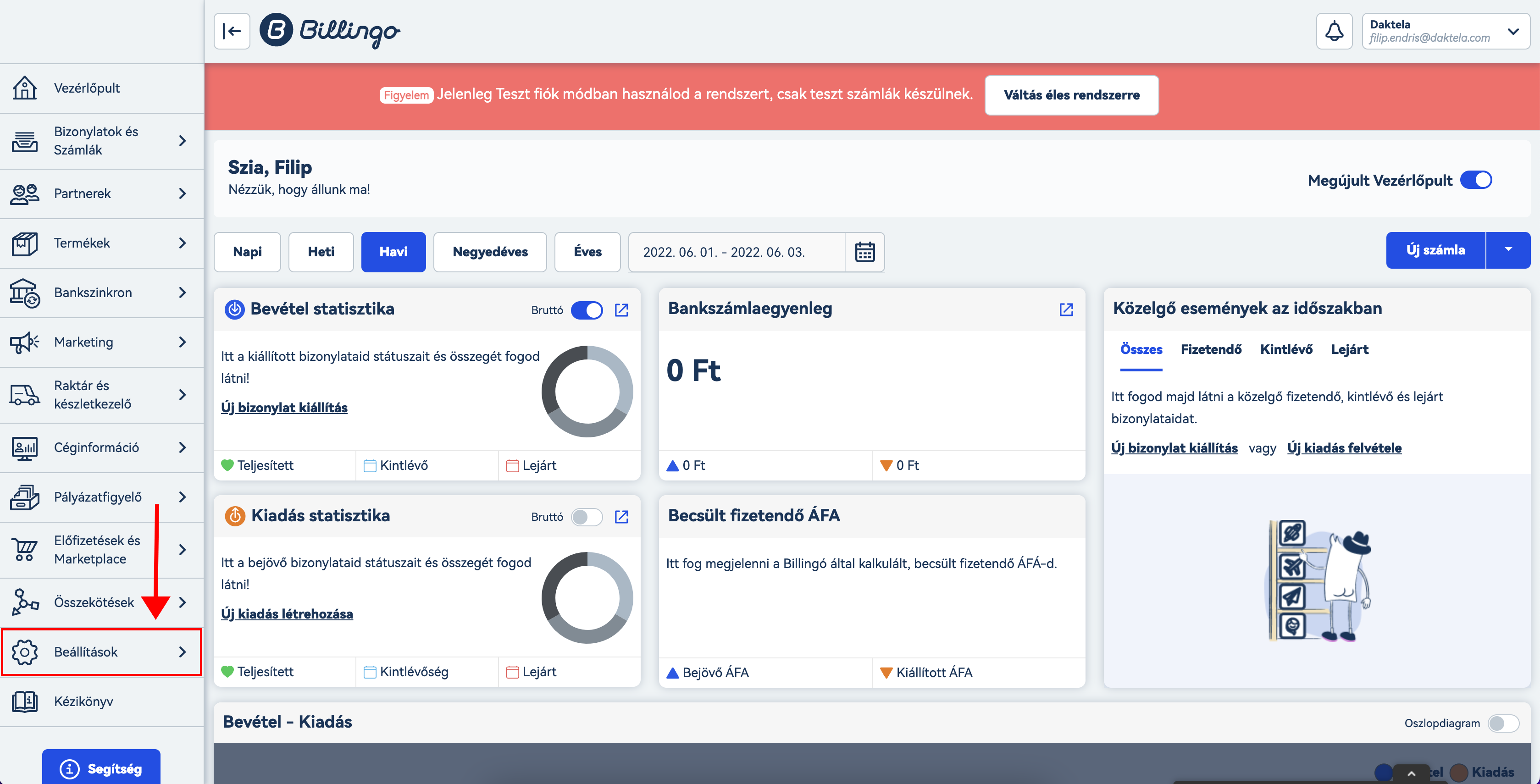 2. ClickAPI összekötés.
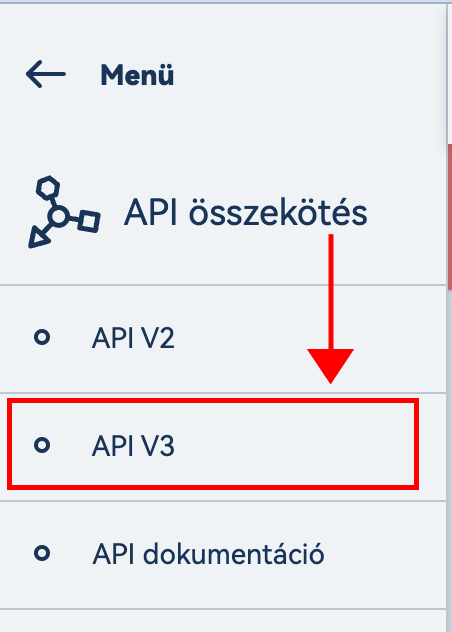
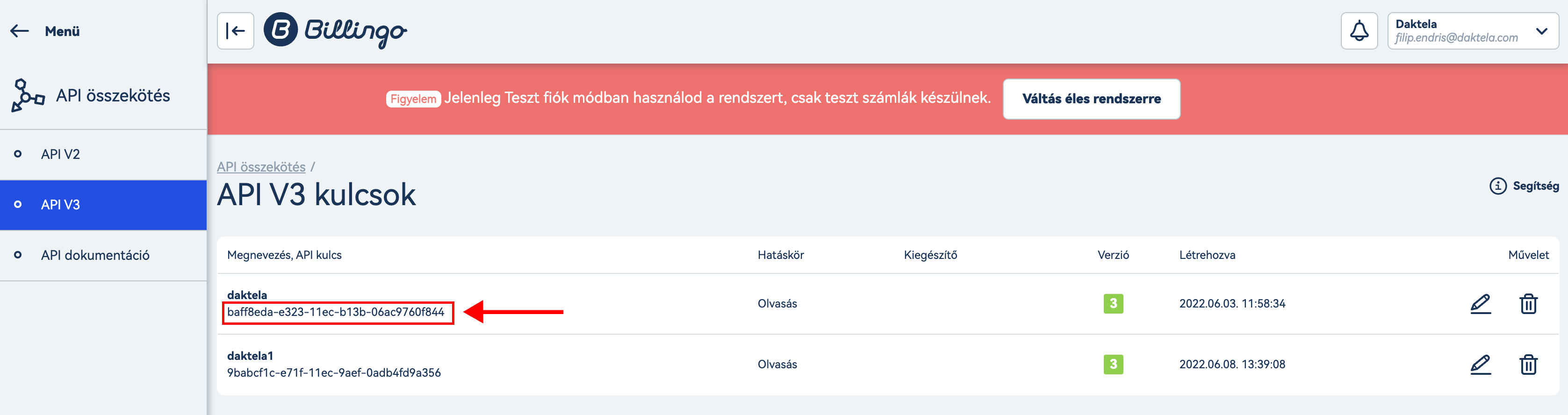
 3. ClickAPI V3.
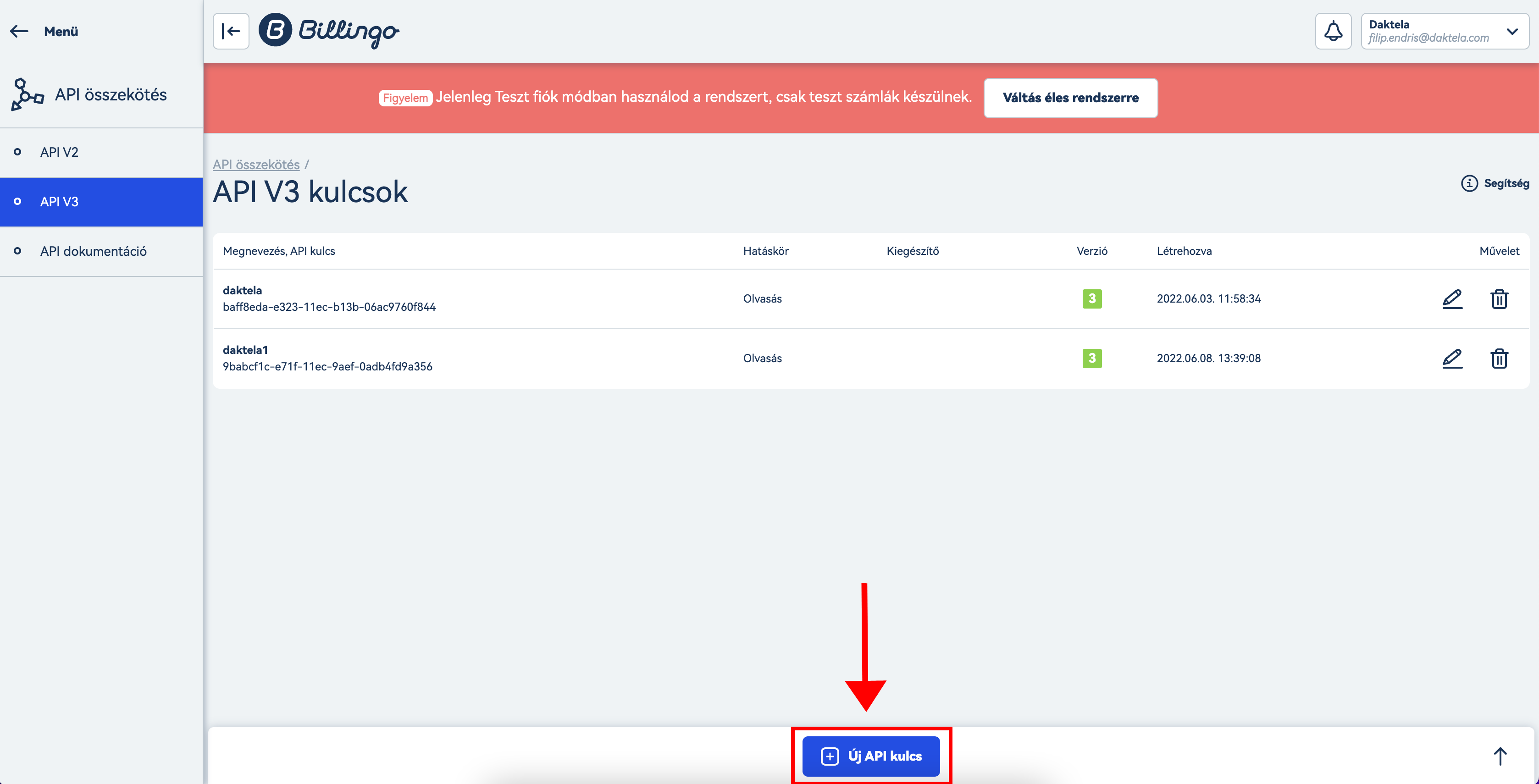
 4. Click Új API kulcs to create your API key.
 5. Enter key name such as "Daktela" in to the API elnevezésefield and clickMentésto complete.
 6. Copy the generated key for Daktela Integration.
Set up the Daktela Integration
Enter Your Billingo Details Into Daktela
In Daktela, go to Manage → Integrations and click Configure under Billingo. Select into whichCRM Database you want to synchronise your data. Enter yourAPI keyfrom the previous section into theAPI Keyfield. Click Authorise.
Map Your CRM Fields
A list of your Daktela CRM fields will open. Select the Billingo field you want to synchronise with each field in Daktela. Click Activate.