Skyshop
Log in to your Skyshop account as an admin user and follow the instructions below:
- Find Out Your Skyshop Web API Key
- Set up the Daktela Integration
- Enter Your Shop and Admin User Details Into Daktela
- Map Your CRM Fields
Find Out Your Skyshop Web API Key
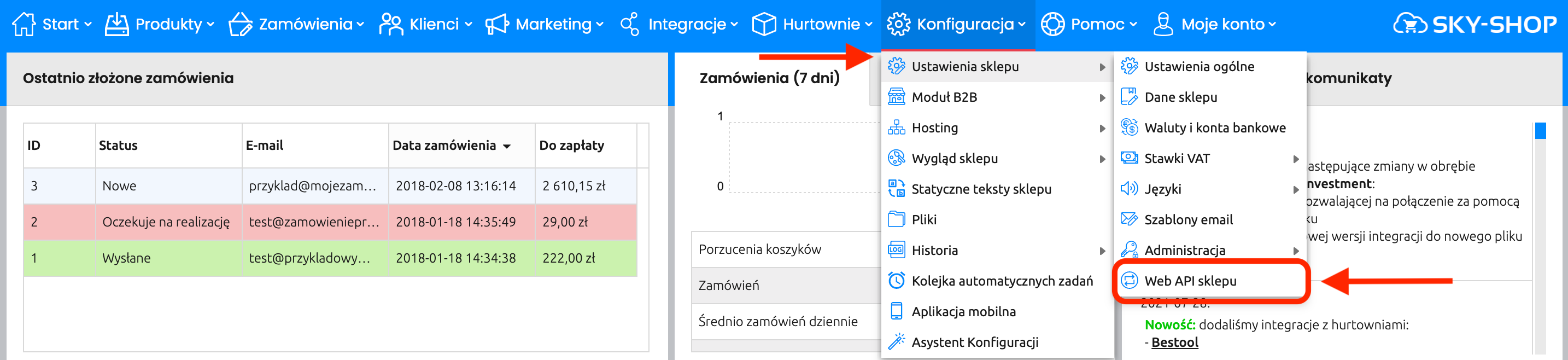
Log in at https://yourshopnumber.mysky-shop.pl/admin/ Go to Konfiguracja → Ustawienia sklepu → Web API sklepu:
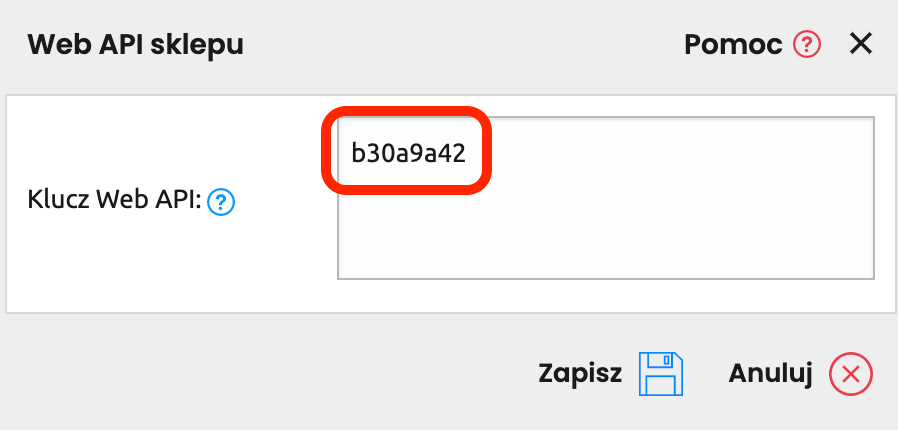
 Copy the Web API key:
Set up the Daktela Integration
Enter Your Shop and Admin User Details Into Daktela
In Daktela, go to Manage → Integrations and click Configure under Skyshop. Select into whichCRM Database you want to synchronise your data. Enter your shop URL into the Instance URIfield, e.g. https://zn793.mysky-shop.pl/ Enter your Web API key from the previous step into the Client secret field. Click Authorise.
Map Your CRM Fields
A list of your Daktela CRM fields will open. Select the Skyshop field you want to synchronise with each field in Daktela. Click Activate.