Shoper
Log in to your Shoper account as an admin user and follow the instructions below:
- Create a New Admin Group
- Add a New Admin User
- Set up the Daktela Integration
- Enter Your Shop and Admin User Details Into Daktela
- Map Your CRM Fields
Create a New Admin Group
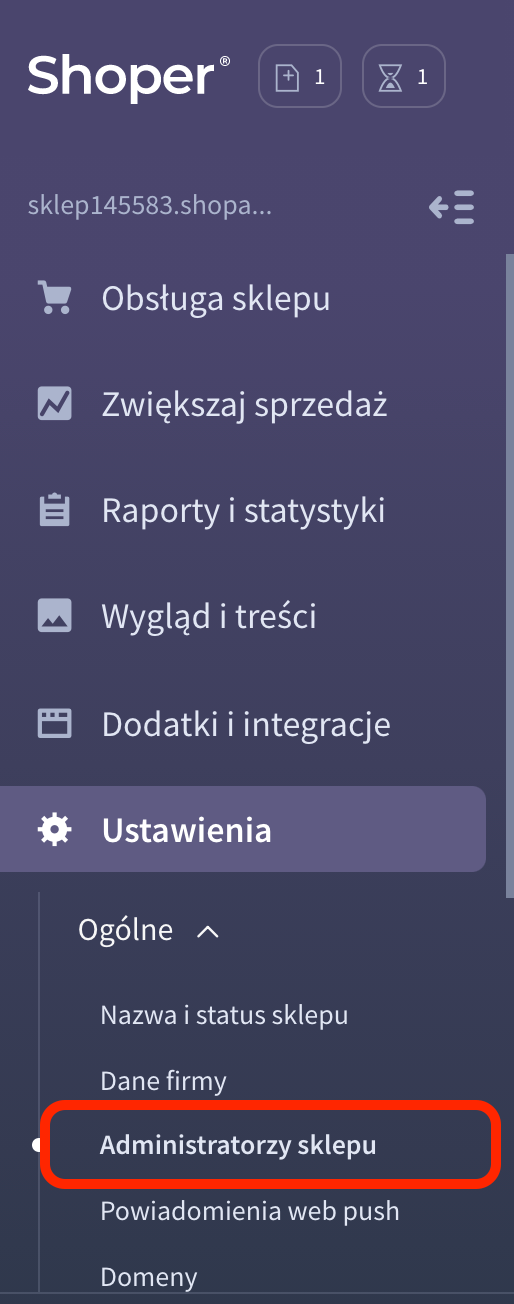
Go to Ustawienia → Ogólne → Administratorzy sklepu:
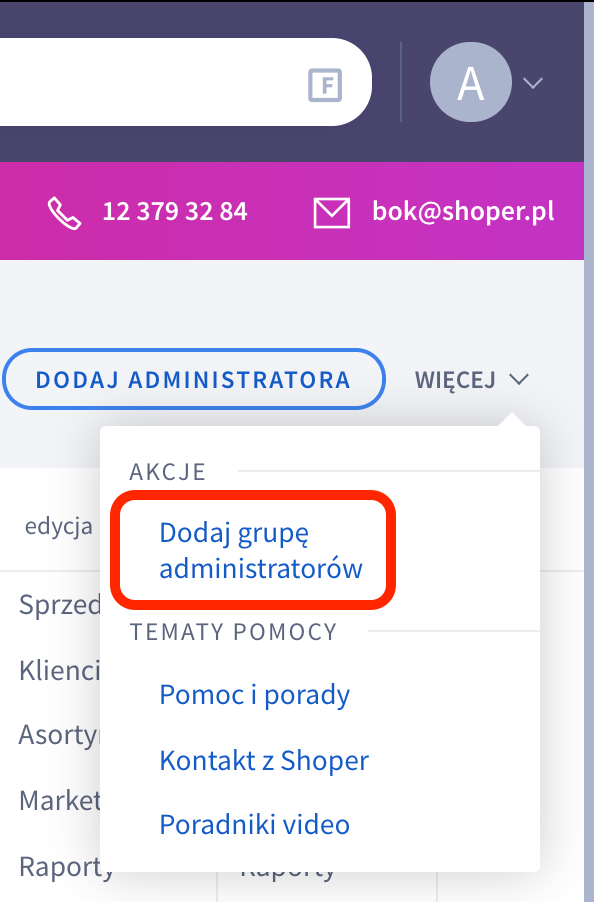
 In the top right corner, click Więcej and then Dodaj grupę administratorów:
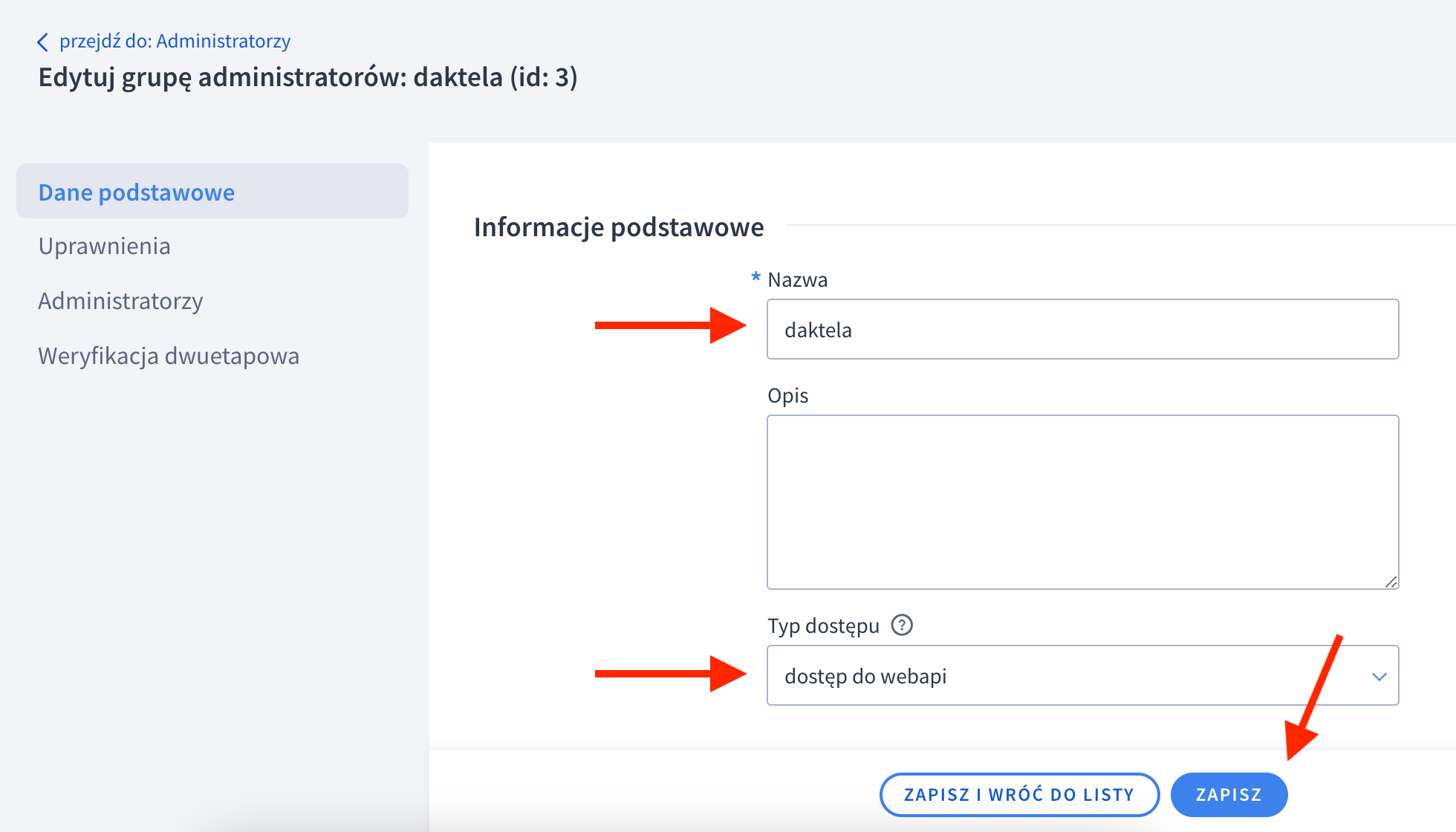
 Enter a name inNazwa, select dostęp do webapi and click Zapisz.
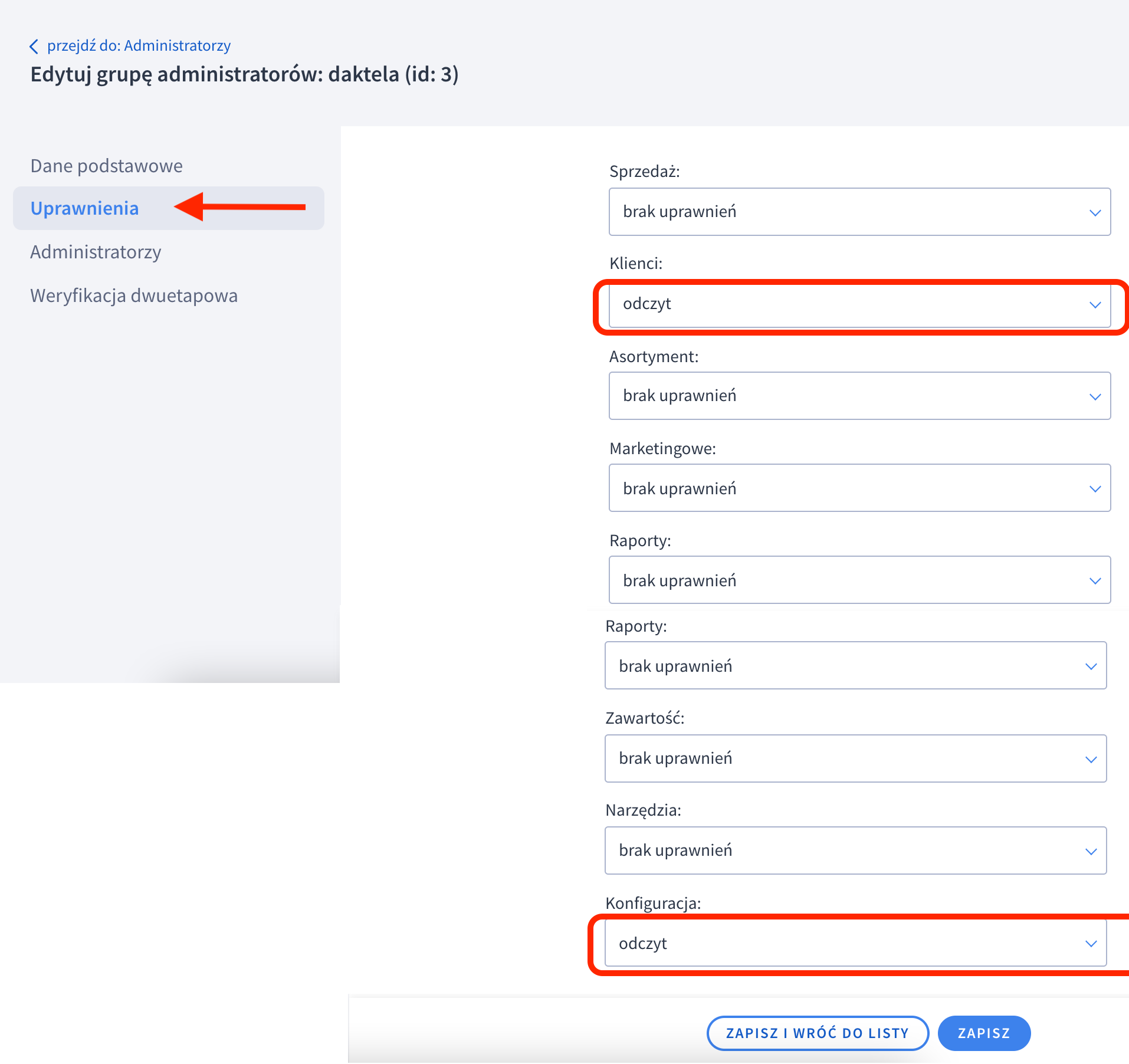
 Go to Uprawnieniaand set odczyt permissions for Klienci and Konfiguracja. Click Zapisz.
Add a New Admin User
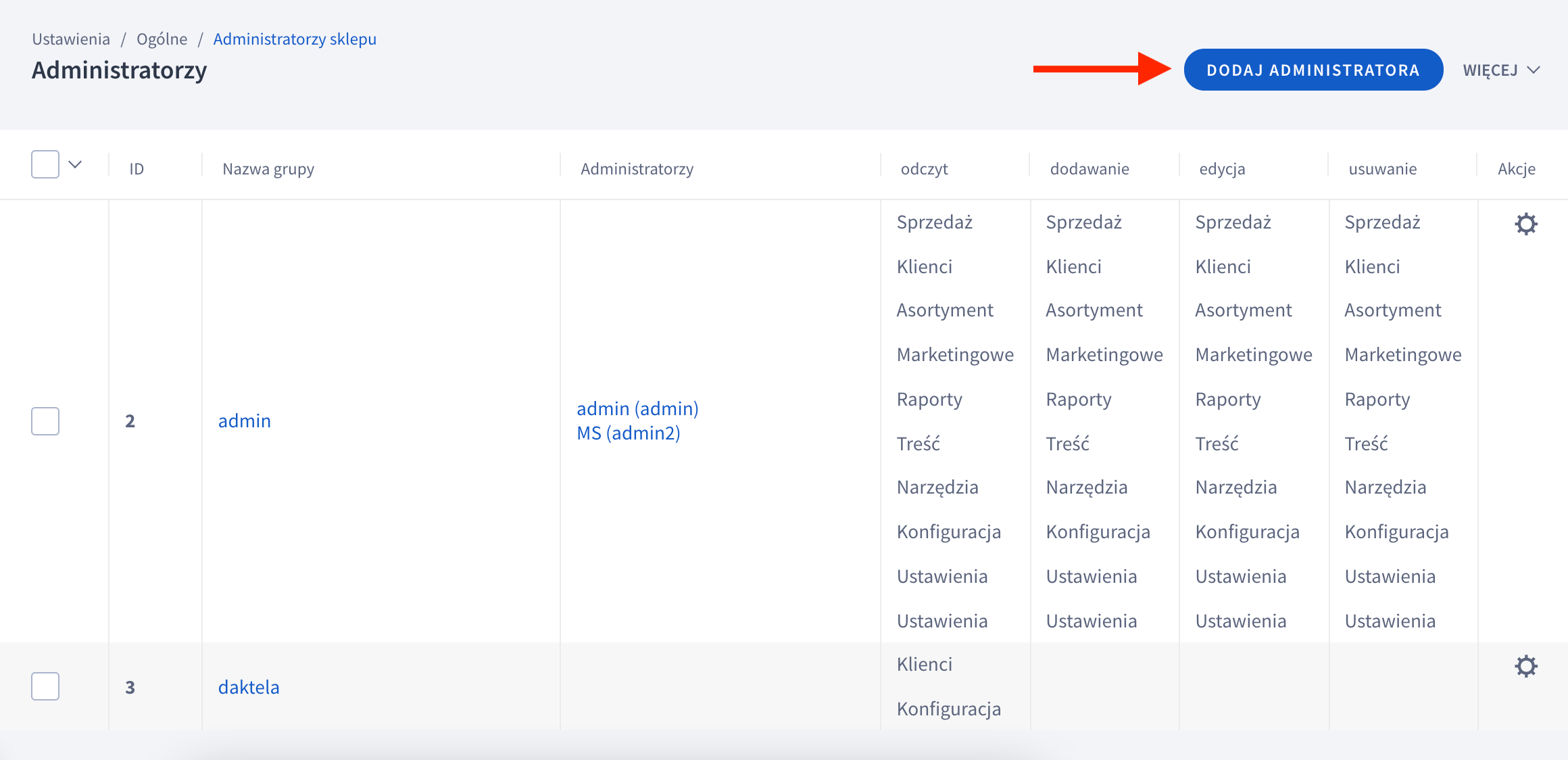
Go to Ustawienia → Ogólne → Administratorzy sklepu:
In the top right corner, click Dodaj administratora:
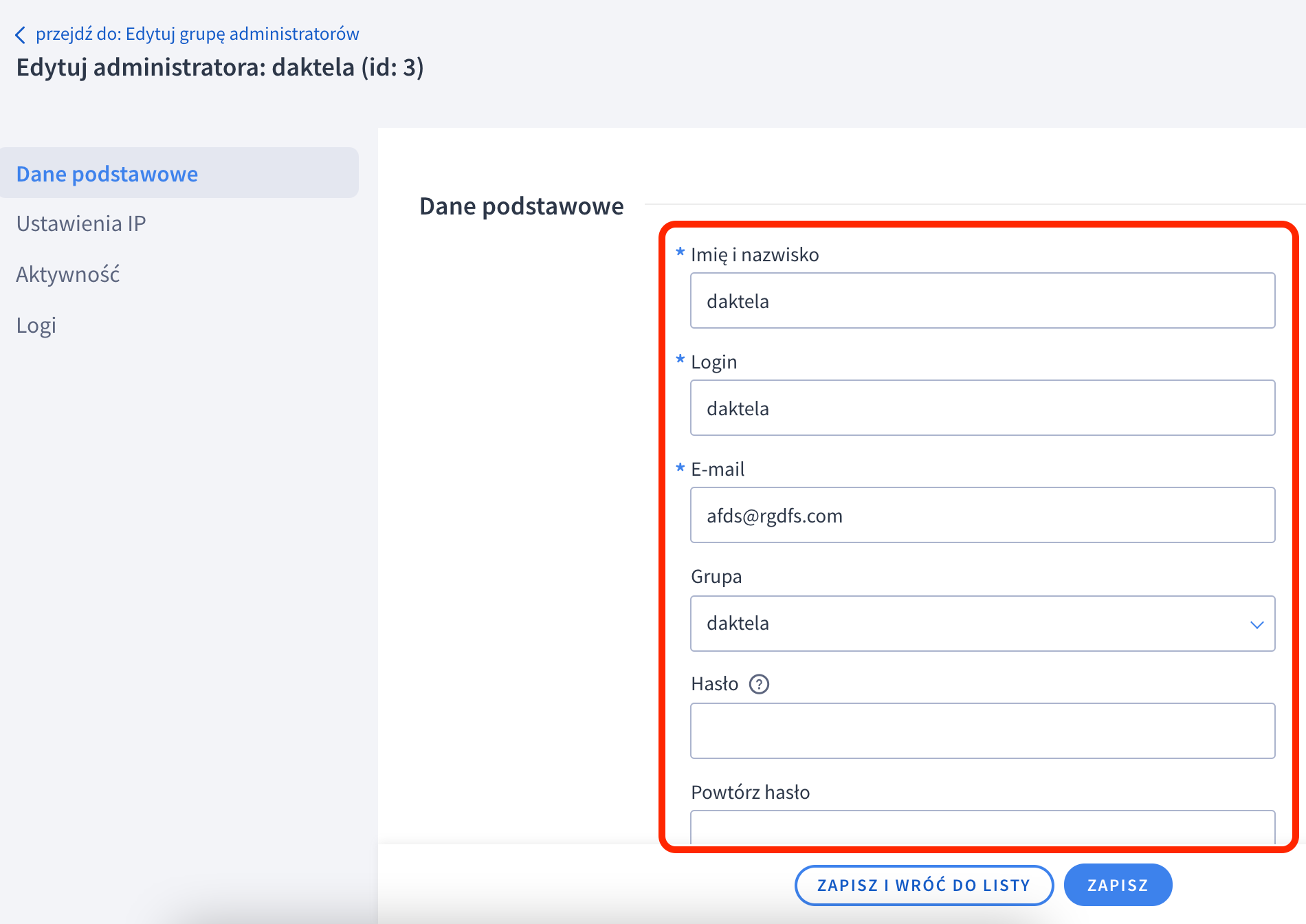
 Enter all the fields. Don't forget to select the Admin group (Grupa) that you have created in the first section!
Remember yourLoginandHasło– you will need it in the next step.
Enter all the fields. Don't forget to select the Admin group (Grupa) that you have created in the first section!
Remember yourLoginandHasło– you will need it in the next step.
Set up the Daktela Integration
Enter Your Shop and Admin User Details Into Daktela
In Daktela, go to Manage → Integrations and click Configure under Shoper. Select into whichCRM Database you want to synchronise your data. Enter your shop URL into the Instance URIfield, e.g. https://sklep145583.shoparena.pl/ Enter yourLogin name into the Client IDfield. Enter your Password into the Client secret field. Click Authorise.
Map Your CRM Fields
A list of your Daktela CRM fields will open. Select the Shoper field you want to synchronise with each field in Daktela. Click Activate.