SugarCRM
SugarCRM is feature-rich system for management of communication with end customers, which is usually available as a cloud solution.
- Configure API Platforms
- Set up the Daktela Integration
- Enter Your SugarCRM Details Into Daktela
- Map Your CRM Fields
Configure API Platforms
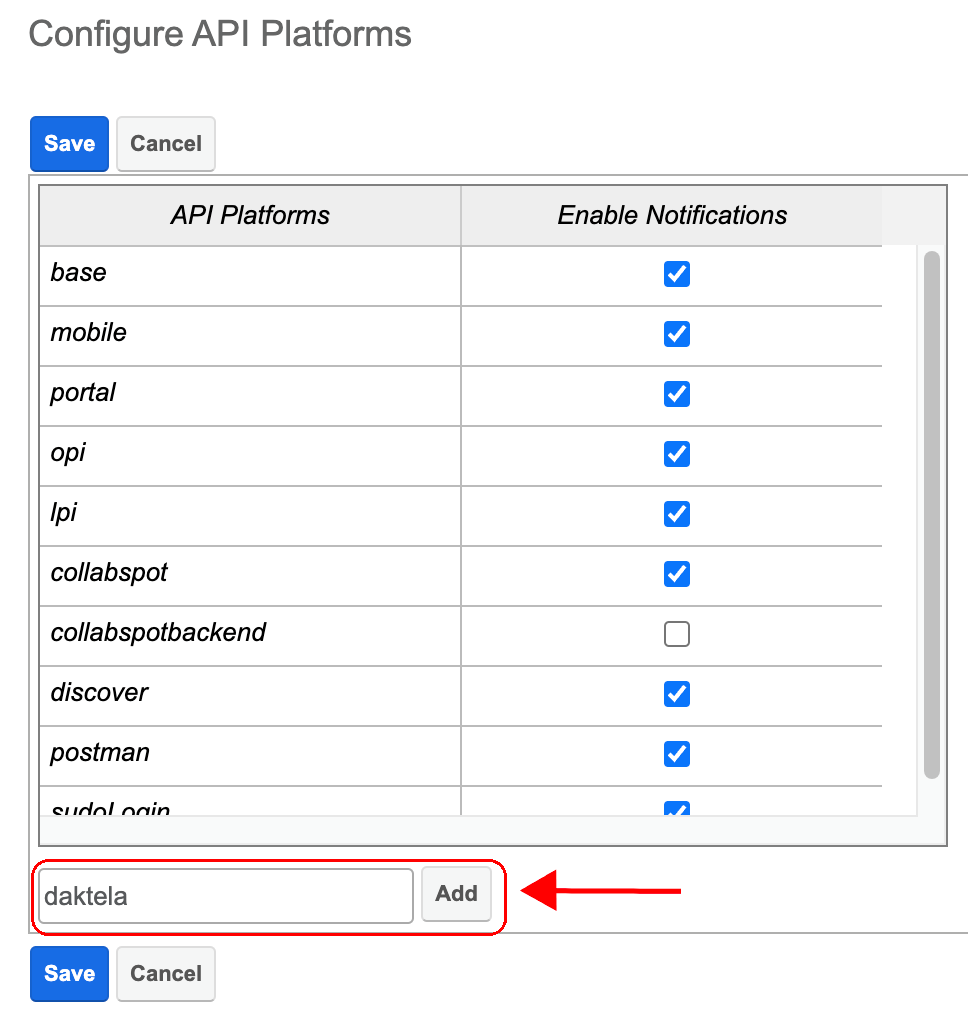
Open SugarCRM→ go to Profile →Admin→Developer Tools to Configure API Platforms.
 Click Configure API Platforms.
 Add Daktela to API Platforms.
Set up the Daktela Integration
Enter Your SugarCRM Details Into Daktela
In Daktela, go toManage → Integrationsand clickConfigureunder SugarCRM. Select into whichCRM Databaseyou want to synchronise your data. Fill in theInstance URIto the URL where SugarCRM is located. Fill in the Username and Password with user credentials that shall be used for the synchronisation. Set the Client ID to "sugar". If the user has set a client secret, fill this value in the Client Secret field. ClickAuthorise.
Map Your CRM Fields
A list of your Daktela CRM fields will open. Select the SugarCRM field you want to synchronise with each field in Daktela. Click Activate.