Linphone
Download it fromhttps://www.linphone.organd follow the installation instructions. When installed, open it and set it up for use.
Tip
Try theDaktela Software Phone– designed to work specifically with Daktela, it is much easier to set up.
Warning
Please note that Daktela does not provide technical support for software phones other than the Daktela Software Phone.
Warning
Please note:There isno auto answer option in Telephone. To make or receive a call from Daktela, you will always need to answer it on the soft phone before being connected. We do not recommend Telephone for call center use.
Linphone Setup
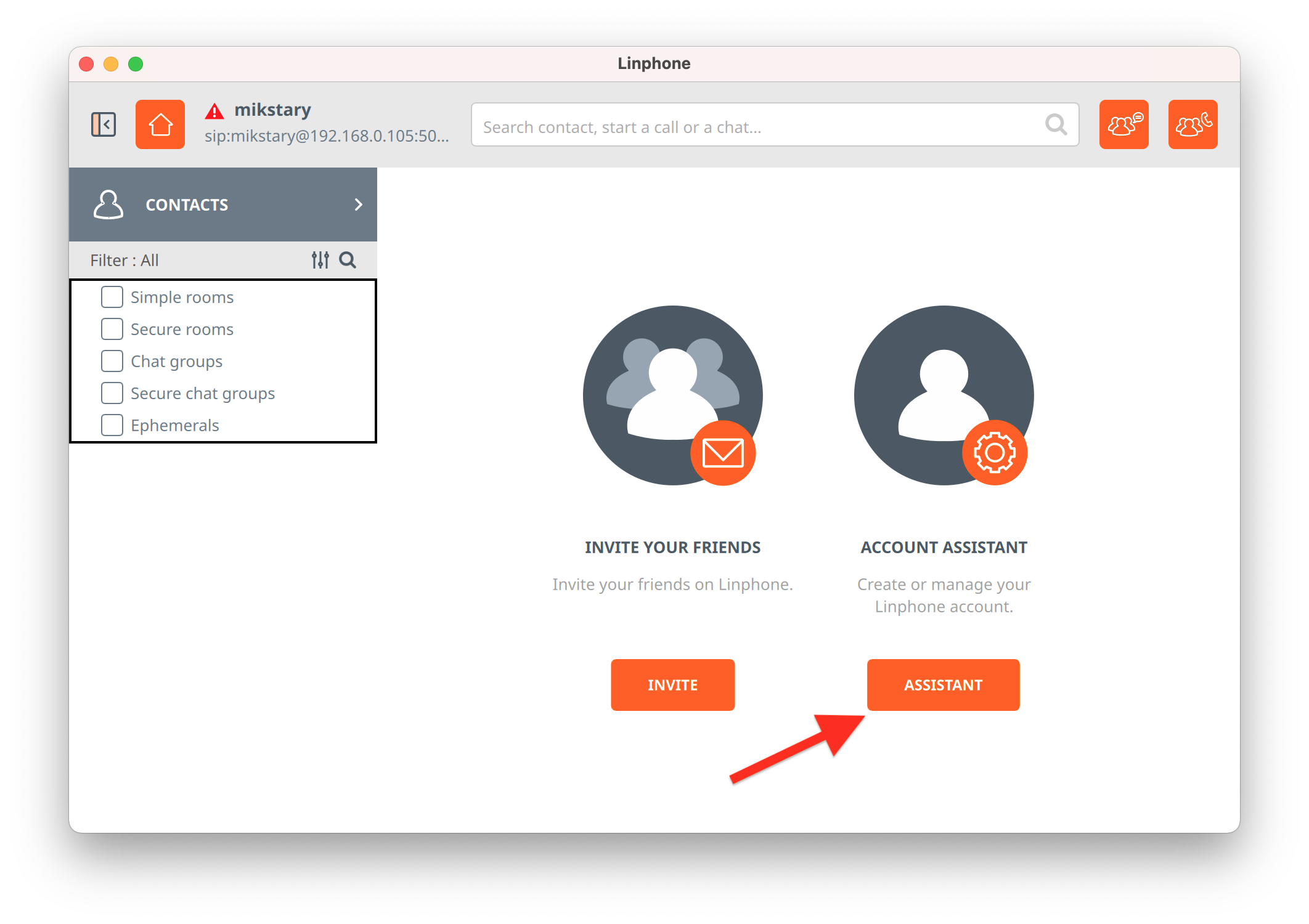
From the home screen, open the Account Assistant:
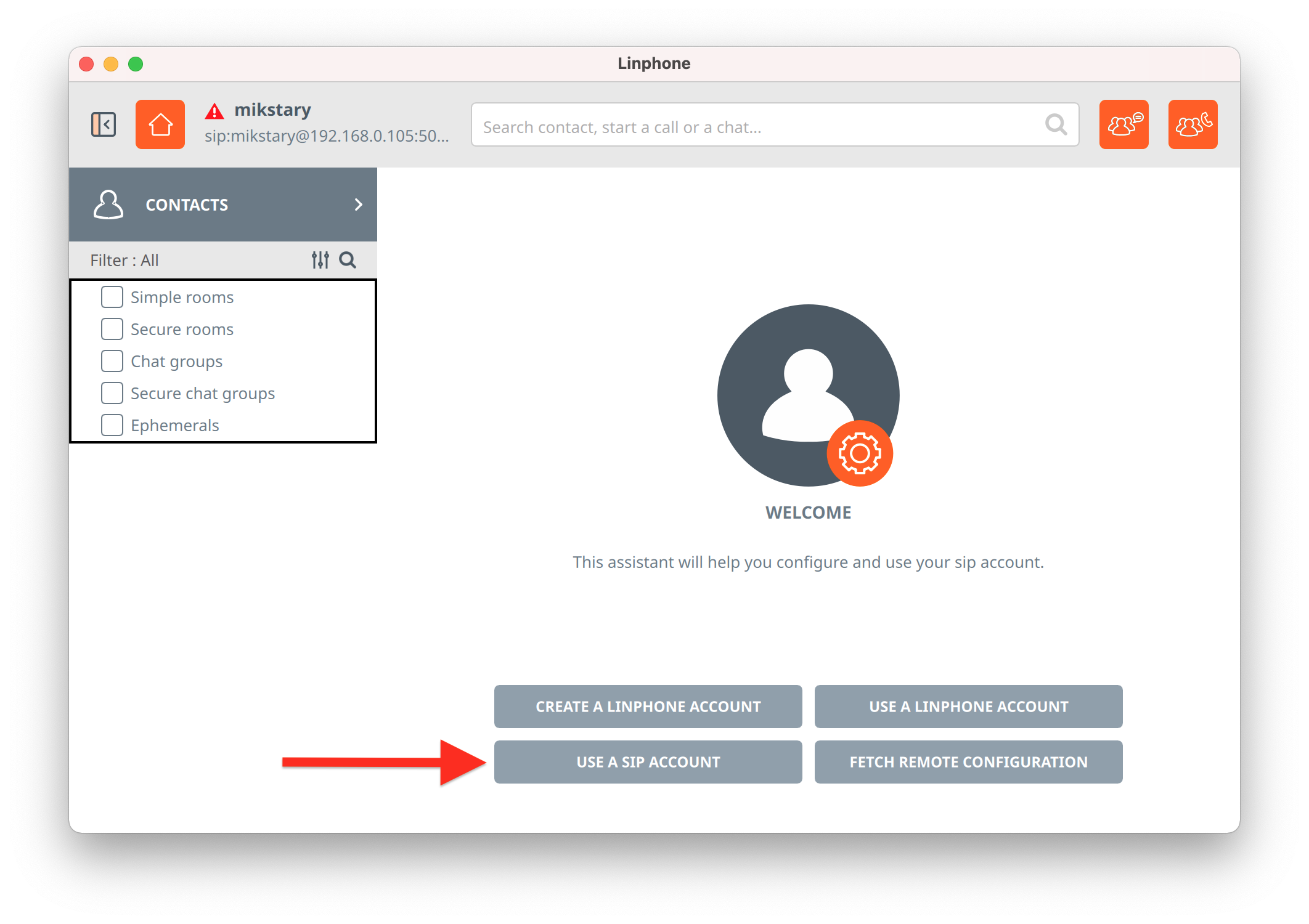
 Click Use a SIP Account:
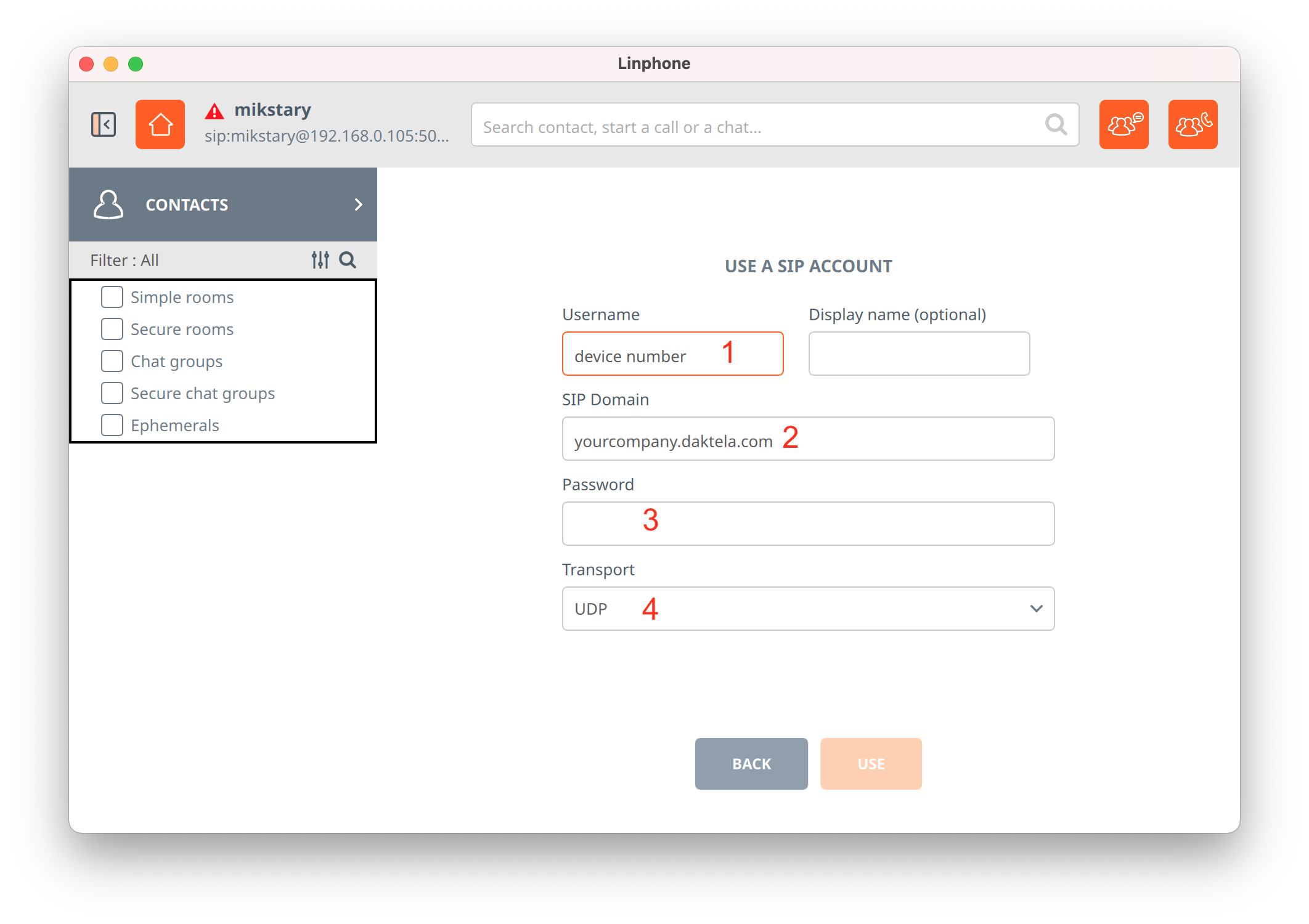
 Set up your SIP Account:
- Username:enter your SIP device number (seeSIP devicesto find your number).
- SIP Domain:enter the hostname of your Daktela instance – usually the same as the address you use to log in to Daktela, e.g. "yourcompany.daktela.com".
- Password: enter your SIP device password (seeSIP devicesto find your password).
- Transport:select UDP. Click USE at the bottom of the form to finish the setup process.
How to Answer a Call
Incoming Call:
- Client starts calling you.
- You will receive a notification in Daktela.
- Answer the Call in Linphone.
- Your Activity in Daktela will open.
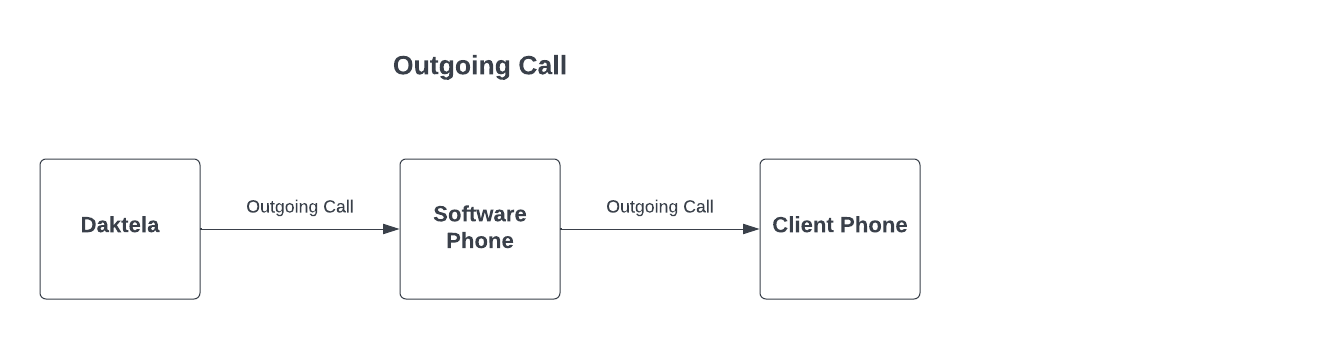
 Outgoing Call:
- Start a call in Daktela.
- You will receive a call in Linphone. Accept it.
- Daktela will now call the number you have dialled from Daktela.