Manage Your Preferences
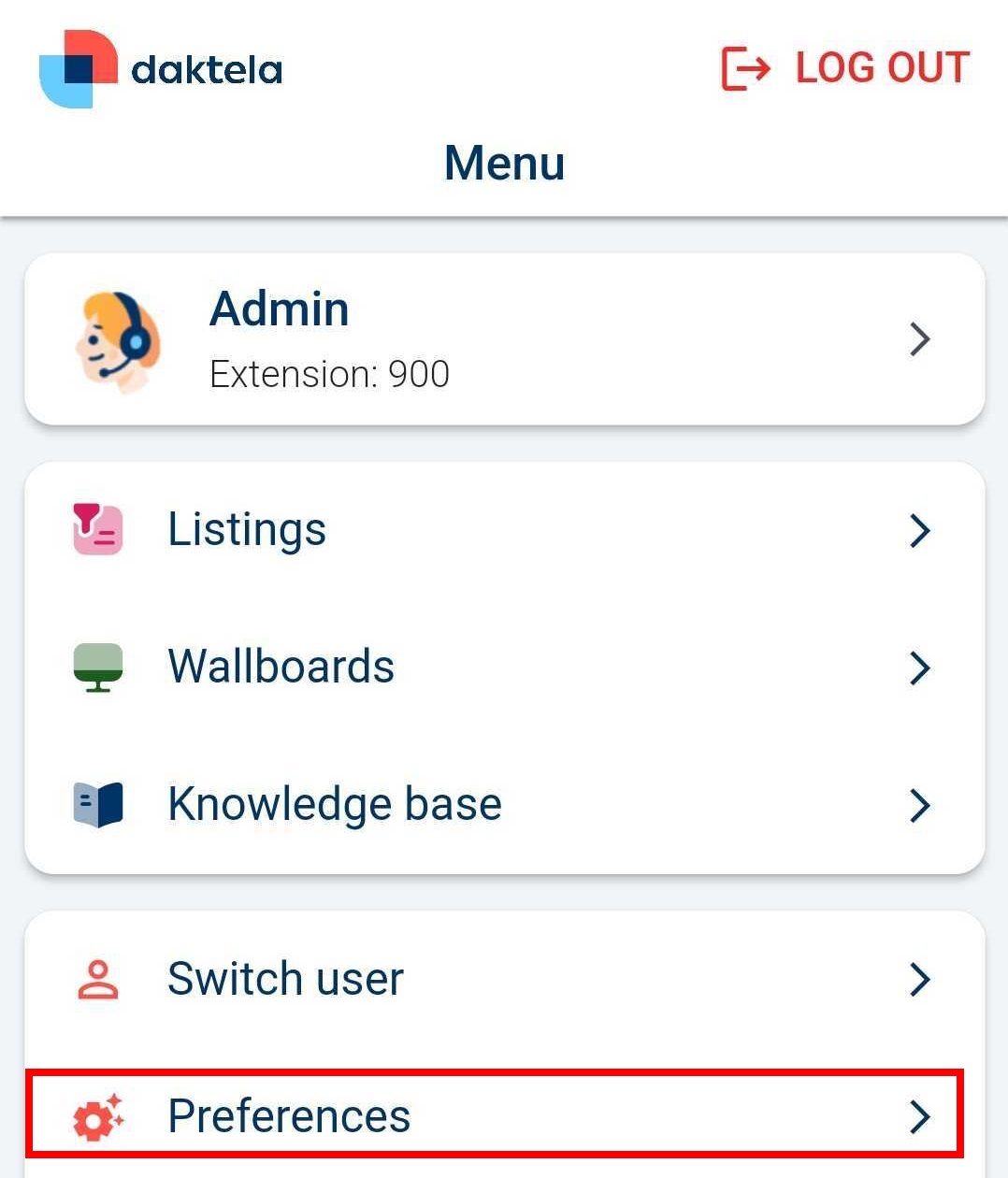
In the preferences, you can manage your push notifications or customise your custom fields or bottom bar. Tap Preferencesin the app menu.
Info
Changes on this screen are saved when you leave Preferences, not the moment you tap a checkbox.
Change the language
Tap Change language. A window will open with a list of languages. Tap the language you want to switch the app to. The app interface will switch to the selected language.
Email settings
Select if you want to automatically add your signature that you use in Daktela in the browser.
Activities settings
In Missed activities, select if you want your default filter to be only your missed activities.
Notifications
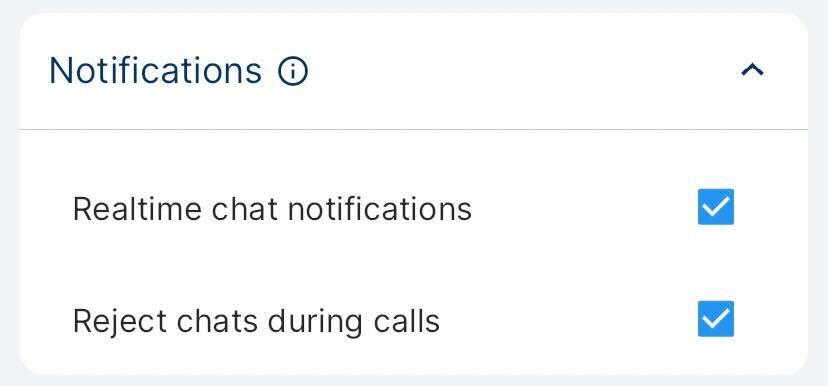
The Notifications section controls which notifications reach you.
- Realtime chat notifications — off by default. When enabled, incoming chats (web chat, Facebook Messenger, Instagram DM, WhatsApp, Viber and SMS) light up your screen and ring like an incoming call. When disabled, they arrive as a standard push notification, the same as a ticket change.
- Reject chats during calls — available only when Realtime chat notifications is enabled. When on, incoming chats are automatically rejected while you are on a call.
- Connection quality summary after a call — on by default. When on, the app reports on the connection after a call that had connection problems: a message in the app if you are looking at it, or a silent notification if you are not. When off, neither appears. Unlike the two chat settings above, it is available to Cloud Phone users as well. See Connection quality after a call for what the report shows.
- Don't ring me during a GSM call — off by default, and available on Android only. When enabled, an incoming Daktela call is declined automatically while you are on a regular phone (GSM) call, instead of ringing over it. The call is not lost: the queue offers it to the next available agent straight away rather than waiting out the ring time. The setting applies to the device you set it on, not to your Daktela account, so set it on each phone you use the app on.
Note
A phone call that is only ringing does not count as being on a call. Daktela calls still ring in that state, so you can choose which call to take. The automatic decline starts once the phone call is connected.
Warning
If you are in call queues that have Automatic pause enabled, every automatically declined call also puts you on the Inactive pause in those queues, exactly as rejecting a call by hand would. A single phone call can therefore leave you paused. Once you tick the checkbox, the app lists the affected queues in red directly underneath it, so you can see which of your queues are involved.
Info
There is no equivalent setting on iPhone or iPad, because iOS always has to display an incoming Daktela call.
Tip
For more about which notifications ring like an incoming call, see Notifications.
Audio Enhancements
Select if you want to automatically control voice quality:
- Echo cancellation
- Noise suppression (may take a few seconds to take effect)
- Automatic gain control
Customise Navigation Bar
You can customise your bottom navigation bar. Tap and hold the container and drag it to the top section.

Customise dashboard
You can customise your dashboard. Tap and hold the container and drag it to the top section.

Advanced
Advanced is the last section on the Preferences screen — scroll to the bottom. It is collapsed by default, so tap the Advanced heading to expand it and reveal the checkboxes below. It holds settings for edge cases and connectivity tuning; the defaults suit most users, so change them only if you know you need to or you have been advised to.
- Check active calls on other devices when ringing — off by default. When enabled, the app fetches up-to-date call data from the server before each incoming ring, so it can detect a call already in progress on another of your devices. This adds a short network round-trip to every ring — turn it off if it slows down or interferes with incoming calls.
- Do not save calls to the phone's call history — off by default, and available on iPhone and iPad only. When enabled, the calls you make and answer in the app are kept out of the Phone app's Recents list and exist in Daktela only. With it off, your Daktela calls appear in Recents like any other call.
Warning
While Do not save calls to the phone's call history is enabled, calling back from a Daktela entry in the Recents list does not work. Leave the setting off unless you specifically want your Daktela calls kept out of the phone's call history.
Note
Enabling the setting does not remove entries that are already in Recents. It applies only to calls made from that point on.
Info
There is no equivalent setting on Android, because the app never writes calls to the Android phone's call log in the first place. Daktela calls on Android are always kept in Daktela only.